Small brands do not usually lose because they lack creative ideas. They lose because each idea takes too long to test. By the time a team writes copy, books production, edits video, and prepares different formats, the campaign window may already be closing.
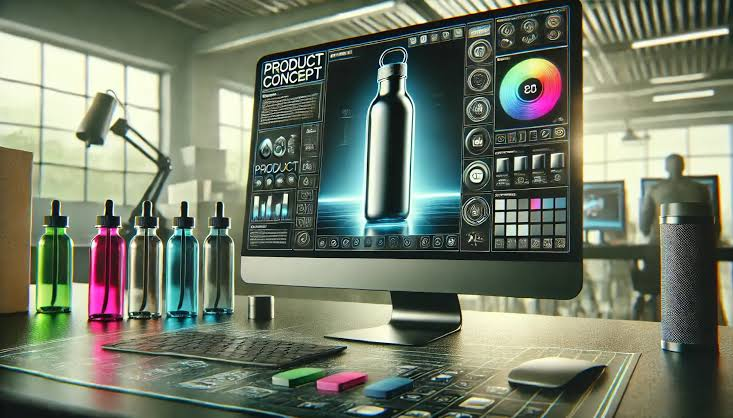
AI video changes that workflow. A brand can start with one approved product concept image and turn it into a small set of ad variants: different hooks, different audience angles, different levels of product explanation, and different calls to action.
The point is not to replace strategy with automation. The point is to make testing more disciplined. A team can use image to video ai to generate short clips from a strong visual, then compare which message deserves more spend.
The Quick Answer
The most useful small-brand ad test is not 20 random AI videos. It is five deliberate variations from one concept: problem, product detail, use case, proof point, and offer. Each version should keep the same source image and change only one strategic variable.
This makes the results easier to read. If the problem-led ad wins, the audience needs pain-point clarity. If the product-detail ad wins, they need to see how the item works. If the offer ad wins but retention is weak, the discount may be doing too much of the work.
The Five-Ad Test Framework
| Ad Variant | What It Tests | Best For | Creative Direction |
| Problem hook | Does the audience recognize the problem? | New categories, service products, education-led offers | Start with a clear text caption and slow motion toward the pain-point visual. |
| Product detail | Does the viewer care about the feature? | Physical goods, apps, tools, accessories | Use a close, controlled camera move around one important detail. |
| Use case | Can the audience picture using it? | Lifestyle products, SaaS, creator tools, mobile apps | Show the product inside a realistic moment instead of a generic showcase. |
| Proof point | Does evidence improve trust? | B2B products, higher-ticket purchases, technical products | Animate an approved review card, result screen, or comparison graphic without changing numbers. |
| Offer | Does the incentive move action? | Seasonal launches, email retargeting, ecommerce campaigns | Keep the motion simple so the offer and next step remain readable. |
Start With One Strong Concept Image
The source image matters more than many teams expect. AI motion can guide attention, but it cannot rescue a vague idea. A useful concept image should have one main subject, enough visual space for captions, and a message that can be understood in a few seconds.
For product advertising, good source images include a product in use, a clean product setup, an app screen, a feature graphic, a before-and-after comparison that is legally supportable, a packaging detail, or a customer quote card.
Avoid images with too many products, tiny text, crowded interfaces, or claims that have not been approved. If the viewer needs 15 seconds to understand the image, it is not a good base for a short ad test.
A Practical Workflow for the Test
Step 1: Define the learning question
Do not begin with “we need more videos.” Begin with a question. For example: “Do new buyers care more about time saved or quality improved?” or “Do users understand the feature if we show the app screen first?”
Step 2: Keep the visual constant
Use the same base image or closely related images across variants. This helps isolate the message variable. If every ad has a different image, format, hook, and offer, the test becomes harder to interpret.
Step 3: Create five short clips
Make each clip six to ten seconds. Give each one a different opening caption and motion direction, but preserve the same product truth. Use one call to action per ad.
Step 4: Publish with consistent conditions
Test the ads against the same audience, placement, budget range, and time window where possible. Perfect testing is rare, but sloppy testing makes small budgets even smaller.
Step 5: Read the signal, not just the winner
The winning ad matters, but so does the pattern. If all use-case videos beat feature videos, your next content calendar should include more real-life examples. If proof points improve click-through but lower conversion, your landing page may need better explanation.
Prompt Starters for Each Variant
Problem hook: “Create a short product ad video from this approved image. Use a subtle forward camera move. The clip should focus on the frustration shown by the headline. Keep all product details and text stable.”
Product detail: “Animate this product concept with a slow close-up movement toward the main feature. Keep the shape, label, and brand elements unchanged. The style should feel clean and useful.”
Use case: “Turn this product-in-context image into a short social ad. Add gentle motion that makes the viewer imagine using the product in a normal day. Do not invent extra results or people.”
Proof point: “Create a short clip from this approved review or comparison graphic. Keep all numbers, names, and labels unchanged. Use only light motion to guide attention to the evidence.”
Offer: “Animate this promotional image for a short ad. Keep the offer text readable for the full clip. Use minimal motion so the discount and next step remain clear.”
Metrics to Watch
- Hook rate: Did the first seconds stop enough viewers?
- Completion rate: Did people stay long enough to understand the message?
- Click-through rate: Did the creative create intent?
- Conversion rate: Did the landing page and offer support the ad?
- Comment quality: Are people asking buying questions or just reacting to the visual?
- Cost per useful action: Are you optimizing for an action that matters?
Common Mistakes
The most common mistake is testing too many things at once. A small brand cannot learn from a five-ad test if every ad changes the offer, image, format, audience, and message.
The second mistake is using AI motion that hides the product. Fast camera movement may look impressive, but it can reduce clarity on mobile screens.
The third mistake is treating early engagement as proof of demand. A surprising video can get clicks from curiosity. The better question is whether it brings the right people to the right next step.
FAQ
Can small brands use AI video for paid ads?
Yes, if the creative is accurate, clear, and aligned with platform rules. Use approved product visuals, avoid unsupported claims, and test one message variable at a time.
How many AI video ads should a small brand test first?
Five is a practical starting point. It is enough to test different strategic angles without creating a measurement mess.
What length works best for the first test?
Six to ten seconds is usually enough for one product idea. Longer ads should be used when the product needs explanation, not because the video generator can produce more footage.
Should every ad use the same image?
For the first test, yes or nearly yes. Keeping the visual constant helps the team understand whether the message angle is driving the result.
What should be avoided in AI product ad videos?
Avoid fake results, distorted labels, unreadable offers, exaggerated transformation claims, and motion that makes the product harder to inspect.
Conclusion
AI video gives small brands a faster way to test creative ideas, but speed only helps when the test is designed well. Start with one strong concept image, build five controlled variants, and measure what each ad teaches you.
The strongest result is not just a better video. It is a clearer understanding of what your buyers actually need to see before they act.