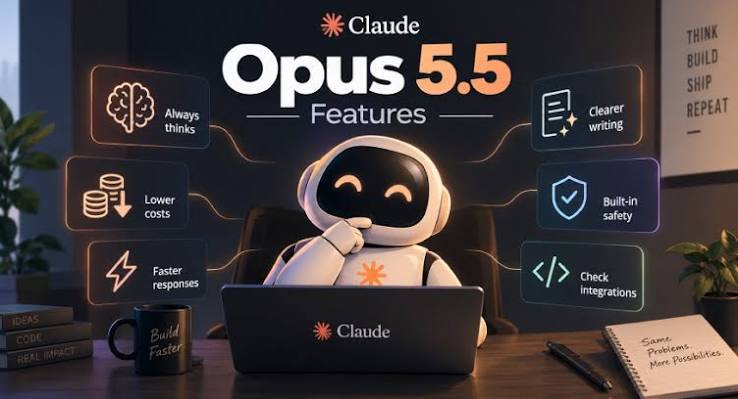
“Claude Opus 5.5” is a product name. The string accepted in an API request is a model identifier, and its spelling depends on the service receiving that request. Finding the Claude Opus 5.5 model ID therefore starts with the endpoint, not with converting the display name into something that looks plausible.
Anthropic’s current model page lists claude-opus-5-5 for the Claude API and anthropic.claude-opus-5-5 for Amazon Bedrock. Other platforms have their own discovery and access rules. Copy the identifier from the documentation or model list for the route you actually use.
The Claude Opus 5.5 model ID depends on the endpoint
When configuring Claude Opus 5.5, keep three pieces of information together: the service, the API interface and the accepted model string. An identifier taken from one provider is not evidence that another provider accepts it unchanged.
A display label can contain spaces and punctuation that never appear in the request. Conversely, a provider may add a prefix to distinguish its catalog entry. Neither is a reason to normalize the identifier yourself. Preserve the exact documented string, including hyphens and any required prefix.
The model family’s older releases are separate entries. An existing configuration for Opus 5 does not become Opus 5.5 because the interface now advertises a newer model. Check the value sent in the request, especially when the client keeps its own list of friendly names.
Read the provider’s discovery response when the integration offers one. It can show the identifiers exposed to that account. A public announcement establishes that a model exists; it does not necessarily establish access for every key, region or account arrangement.
Keep examples free of real credentials when sharing a configuration problem. The model string and a sanitized error are usually safe and useful. A full authorization header adds risk without helping someone decide whether claude-opus-5-5 was spelled correctly.
Trace a failed request back to its configuration
For a “model not found” response, first identify which service produced the error. A proxy, a client-side validator and the upstream API can reject a request at different stages. The message shown in the application may omit that distinction.
Inspect the effective configuration rather than only the file you remember editing. A saved application preference or an environment override may still supply the old value. Log the non-secret model identifier and route name at the point where the request is constructed.
Check for simple copying errors: a trailing space, a typographic dash, an extra prefix or the product’s display name pasted into the API field. Then compare with the provider’s current documentation. Guessing a dated suffix creates another unknown unless the service explicitly lists that snapshot.
After the identifier is verified, check account access and the API interface. A correct model ID does not make an incompatible endpoint accept a request. Nor does it grant an account permission to use a model that is not available to it.
Keep the first diagnostic request small. Use a plain, non-sensitive text task and the minimum documented fields. If the request succeeds, add the application’s tools or other settings incrementally. This separates an identifier problem from a parameter that the new model does not accept.
Anthropic documents behavioral and request changes for Opus 5.5, so changing the model string is only one part of a real migration. A request can move past “model not found” and then fail for a different reason. Read the new error on its own terms rather than continuing to rename the model.
If the service returns a model field in the response, retain it with the diagnostic result. It can help establish what the provider reports having served. The presence of an answer alone does not prove that a client used the model you selected if it has automatic fallback behavior.
For a configuration review, GPT-6 Astra can help compare a sanitized request with the relevant provider instructions. Supply those instructions rather than asking it to guess an identifier. A model-generated suggestion is not a substitute for the endpoint’s current catalog.
Keep a working identifier from drifting
Once the request works, store the model ID in one clearly named configuration location. Avoid repeating it in several files that can fall out of sync. A dropdown label, a server default and a scheduled job should not silently select different versions of the same family.
Record the provider and the date the configuration was checked. Where stable snapshots are offered, choose between an alias and a snapshot according to the product’s needs and the provider’s documented behavior. Do not infer stability from an identifier simply because it looks versioned.
Preserve a small known-good request for future diagnosis. It should contain no private material and no features unrelated to model access. If the full application later fails, that request can help determine whether the problem belongs to basic access or to the application’s added behavior.
Make fallback visible if your system uses it. A user asking specifically for Opus 5.5 should not have to infer from the prose that another model answered. The application should report the route it actually used according to its own verified execution record.
The Claude Opus 5.5 model ID is easy to copy once the service is known. The useful habit is to keep that identifier attached to its provider, access conditions and a working request. That turns an ambiguous product label into a configuration you can inspect.
SEO Title: Claude Opus 5.5 Model ID: Match the Identifier to the Right Endpoint
Excerpt: Find the Claude Opus 5.5 model ID your endpoint accepts. Check provider names, effective configuration and account access before changing a failed request.
Meta Description: Find the Claude Opus 5.5 model ID your endpoint accepts. Check provider names, effective configuration and account access before changing a failed request.
Tags: Claude Opus 5.5, model ID, provider endpoint, model discovery