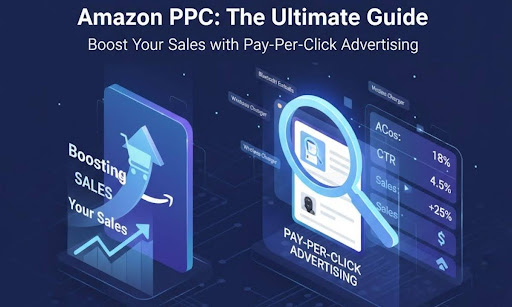
If you’re selling on Amazon, understanding Amazon PPC (Pay-Per-Click) is no longer optional — it’s essential. Amazon has millions of products competing for attention, and PPC advertising is your shortcut to visibility. Think of Amazon PPC as renting the best shelf in the store. The higher your visibility, the greater your chances of making sales.
Amazon PPC is an advertising system where sellers pay a small fee every time a customer clicks their ad. These ads can appear in various places across Amazon — search results, product detail pages, and even off-site placements. By leveraging PPC effectively, you can boost your organic ranking, enhance brand recognition, and increase conversions.
How Amazon PPC Works
Amazon PPC operates on an auction-based system, similar to Google Ads. Each time a customer searches for a product, Amazon runs an instant auction to determine which ads appear. Your ad’s placement depends on two main factors — bid amount and ad relevance.
If you and another seller both bid on the same keyword, the one with a more relevant and higher-quality ad can still win even with a slightly lower bid. This ensures fairness and focuses on customer satisfaction.
You only pay when someone actually clicks your ad — not when it’s displayed. That means your spending directly correlates with engagement. However, since clicks don’t always guarantee sales, optimizing every stage of your ad funnel (listing, images, copy, etc.) is crucial for profitability.
Types of Amazon PPC Campaigns
Amazon offers three main types of PPC ads. Understanding each helps you build a balanced advertising strategy.
Sponsored Products
These are the backbone of Amazon PPC. Sponsored Product ads appear directly in search results and on product detail pages. They’re designed to promote individual listings and drive direct sales.
For example, if you sell wireless earbuds and bid on “Bluetooth earbuds,” your ad might appear when a shopper searches for that keyword. It’s the perfect way to boost visibility for a specific product.
Sponsored Brands
Previously known as Headline Search Ads, Sponsored Brands highlight your brand rather than a single product. They appear at the top of search results and feature your logo, a custom headline, and up to three products.
These are ideal for building brand awareness and cross-selling products within your range. For example, if you sell skincare items, you could promote a “complete skincare set” featuring your cleanser, moisturizer, and toner.
Sponsored Display
Sponsored Display ads take things up a notch. They reach potential customers both on and off Amazon, targeting shoppers who viewed your product but didn’t buy.
They’re excellent for retargeting — reminding users about products they showed interest in. For instance, if someone viewed your camping tent but didn’t purchase, Sponsored Display can show them that same ad later, nudging them toward conversion.
Setting Up Your First Amazon PPC Campaign
Creating your first campaign might seem daunting, but Amazon’s interface makes it straightforward. Here’s how to do it step by step:
- Log in to Seller Central and navigate to the Campaign Manager.
- Click Create Campaign and choose between Sponsored Products, Sponsored Brands, or Sponsored Display.
- Enter a campaign name, start and end dates, and daily budget.
- Choose between Automatic or Manual Targeting.
- Automatic targeting lets Amazon match your ads to relevant searches.
- Manual targeting gives you control over which keywords to bid on.
- Automatic targeting lets Amazon match your ads to relevant searches.
- Add your product listings, keywords, and bid amounts.
- Review and launch your campaign.
Pro Tip: Start with an automatic campaign for a week to gather data, then switch to manual targeting to refine your strategy based on performance.
Understanding Keywords in Amazon PPC
Keywords are the foundation of every PPC campaign. They act as the bridge between your product and potential buyers. Selecting the right keywords ensures that your ads appear in front of people who are ready to buy.
There are three primary match types:
- Broad Match: Your ad appears when a shopper’s search contains your keyword in any order. Example: “wireless earbuds” can match “best wireless earbuds for running.”
- Phrase Match: Shows your ad when the exact phrase appears, possibly with words before or after. Example: “cheap wireless earbuds.”
- Exact Match: Only triggers when the search term exactly matches your keyword. Example: only “wireless earbuds.”
Using a mix of these ensures balance — broad match for reach, exact match for precision, and phrase match for relevance.
Keyword Research Strategies
Finding the right keywords can make or break your PPC campaign. Good research identifies high-volume, low-competition keywords that bring conversions without overspending.
Use these tools for effective keyword discovery:
- Helium 10 – Find profitable and competitor keywords.
- Jungle Scout – Track performance trends over time.
- Amazon Autocomplete – A free and often overlooked source of buyer intent.
- Google Keyword Planner – Great for broader keyword ideas.
Always look for long-tail keywords — phrases with three or more words. They have lower competition and stronger purchase intent.
For example, instead of bidding on “earbuds,” target “noise cancelling wireless earbuds for travel.”
Creating Effective Ad Copy
Your ad copy must stop the scroll. In Amazon PPC, visuals and words work together to grab attention and inspire clicks. Keep these tips in mind:
- Highlight key benefits — not just features. Instead of saying “10-hour battery life,” say “Listen all day without recharging.”
- Add emotional triggers — words like “exclusive,” “limited-time,” or “best-selling” encourage action.
- Include your brand promise — show what sets you apart.
- Match your message with your product listing for consistency.
A strong headline and clear product title can dramatically boost click-through rates (CTR).
Bidding Strategies for Amazon PPC
Amazon PPC allows different bidding options depending on how hands-on you want to be.
- Dynamic Bids – Down Only: Amazon reduces your bid when a sale is unlikely. Good for beginners.
- Dynamic Bids – Up and Down: Adjusts bids based on the probability of conversion. Best for experienced advertisers.
- Fixed Bids: Keeps your bids static — useful when testing campaigns.
Experiment with bidding on different keywords separately to identify which brings the best ROI. Gradually increase bids on high-performing terms while reducing bids on underperformers.
Budget Management
Your daily budget determines how long your ads run each day. Set a realistic starting point — something you can afford to lose while testing.
Monitor your spend-to-sales ratio carefully. If you’re spending more on ads than you’re earning, it’s time to optimize.
A good practice is to begin with $10–$20 per day and scale as you gather data. Avoid “set and forget” campaigns — check performance regularly, especially in the early days.
Tracking and Measuring PPC Performance
Tracking your PPC performance is like checking your car’s dashboard — it helps you avoid costly breakdowns.
Key metrics to monitor include:
- Impressions – How many times your ad is seen.
- Clicks – How many people interacted with your ad.
- CTR (Click-Through Rate) – The percentage of impressions that lead to clicks.
- Conversion Rate (CVR) – The percentage of clicks that lead to purchases.
- ACoS (Advertising Cost of Sales) – Your ad spend as a percentage of sales.
- ROAS (Return on Ad Spend) – The revenue earned per dollar spent on ads.
For example, if your ACoS is 25%, you’re spending $0.25 to make $1 in sales. Lower ACoS means higher profitability.
Common Mistakes to Avoid in Amazon PPC
Even experienced sellers make PPC errors that drain budgets. Avoid these pitfalls:
- Ignoring Negative Keywords – Without exclusions, your ads show for irrelevant searches.
- Overbidding – Leads to high costs with little return.
- Unoptimized Listings – Weak images or poor titles hurt conversion rates.
- Lack of Regular Monitoring – Data changes daily; ignoring it means missing opportunities.
Running PPC without tracking is like driving blindfolded — you might move forward, but not in the right direction.
Optimizing Your Amazon PPC Campaigns
Optimization is where the magic happens. Use your performance data to make data-driven decisions.
- Add new high-performing keywords discovered from automatic campaigns.
- Remove low-performing ones draining your budget.
- A/B test ad copy and product images to improve CTR.
- Adjust bids based on performance. Increase bids for profitable keywords and decrease for low-performing ones.
Regular optimization ensures your campaigns remain efficient and profitable.
Using Negative Keywords Effectively
Negative keywords are the unsung heroes of PPC. They prevent your ads from showing for unrelated searches.
For example, if you sell “luxury watches,” you don’t want to appear for “cheap watches” or “free watch deals.”
By adding these as negative keywords, you reduce wasted clicks, improve conversion rates, and ensure your budget targets the right audience.
Advanced PPC Tactics for Experienced Sellers
Once you’ve mastered the basics, it’s time to refine your strategy with advanced techniques:
- Dayparting – Adjust your bids based on the time of day. For example, if you notice most sales occur in the evening, increase bids during those hours.
- Campaign Segmentation – Separate campaigns by brand, product type, or keyword category for better tracking.
- Retargeting with Sponsored Display – Re-engage customers who viewed but didn’t purchase.
- Competitor Targeting – Run ads on competitor product pages to steal market share.
These strategies help you scale your business while maintaining efficiency.
Conclusion and Best Practices
Amazon PPC isn’t just an ad platform — it’s the heartbeat of successful selling on Amazon. When used strategically, it can catapult your sales, boost rankings, and establish your brand authority.
Always remember:
- Research thoroughly.
- Optimize regularly.
- Track performance closely.
- Keep testing new ideas.
With patience and persistence, PPC can transform your Amazon business from ordinary to outstanding.
FAQs
1. What is Amazon PPC used for?
Amazon PPC helps sellers increase visibility, attract traffic, and boost product sales through targeted advertising.
2. How much should I spend on Amazon PPC?
Start with a small daily budget, around $10–$20, and scale based on performance and ROI.
3. What is a good ACoS?
A healthy ACoS is typically between 15%–25%, depending on your profit margins and niche.
4. Do PPC ads affect organic ranking?
Yes, successful PPC campaigns can improve your organic ranking by increasing sales velocity and visibility.
5. Can beginners manage PPC themselves?
Absolutely! With consistent learning, data tracking, and patience, even new sellers can master Amazon PPC.