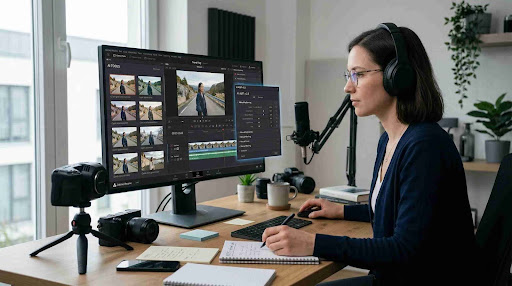
The shift toward hybrid work has fundamentally changed how organizations think about technology infrastructure. Employees now split their time between home offices, coworking spaces, and corporate campuses, and the tools that connect them to their work must perform reliably regardless of location. Among the many technologies that enable this flexibility, remote desktop access stands out as one of the most practical and scalable options available to businesses of any size.
This article examines the ways remote desktop technology supports the needs of hybrid organizations, the challenges it addresses, and the considerations that IT teams should keep in mind when building a hybrid-ready environment.
The Foundations of Hybrid Work Infrastructure
Hybrid work is not simply a policy decision. It is a technology challenge that requires organizations to rethink how their systems, networks, and access controls are structured. When employees work from multiple locations, they need consistent access to the same applications, files, and resources they would have in the office. Anything less creates friction, delays, and frustration that can reduce productivity and push workers toward unofficial workarounds.
Remote desktop technology addresses this challenge directly by allowing employees to connect to their primary work machines from any device, anywhere. Rather than duplicating software licenses, migrating files across systems, or relying entirely on cloud storage, workers can simply access the desktop environment they are already familiar with. This preserves productivity while keeping data centralized and under IT control.
For organizations exploring how to structure their distributed infrastructure, remote desktop solutions for hybrid organizations provide a foundation that supports both scheduled and ad hoc remote work without requiring users to adapt to entirely new workflows.
How Remote Desktop Access Enables Flexibility Without Compromise
One of the most significant advantages of remote desktop technology in a hybrid setting is that it removes the dependency between work and physical location. An employee with access to their office computer from home does not need a high-powered personal device, specialized software installations, or synchronized file systems. Their applications, settings, and local peripherals are all available through the remote session.
This matters especially for roles that rely on resource-intensive software. Engineers, designers, analysts, and content creators often work with programs that require specific hardware configurations. Remote desktop access allows them to leave their high-performance workstations in the office while connecting from lightweight laptops or tablets on remote days. The computing power stays where it is, and the user experience travels with the employee.
The hybrid model also demands reliable access for IT support teams. When technical issues arise for remote workers, helpdesk professionals need to access affected machines directly to diagnose and resolve problems. Remote desktop tools give support staff this capability without requiring in-person visits or complex coordination, which is a critical advantage as distributed teams continue to grow.
Supporting Collaboration Across Distributed Teams
Collaboration in a hybrid environment presents unique challenges that remote desktop solutions can help address. When teams include a mix of in-office and remote workers, consistency of access becomes essential. If some team members have full access to shared resources while others are limited by their physical location or personal device capabilities, the quality of collaboration suffers.
Remote desktop access helps level this playing field. Every user connecting through a remote session has the same access to shared drives, internal databases, and licensed software. There are no version conflicts caused by different software installations, and no risk of sensitive files being stored on personal devices outside of corporate control.
Understanding the terminology and models behind hybrid work is also important for leaders building these environments. Research into the definitions and implications of hybrid team structures, including analyses on enterprise hybrid work research, illustrates the range of configurations organizations are navigating and the varying needs they create for technology infrastructure.
Security Considerations for Remote Access in Hybrid Environments
Security is a primary concern for any organization supporting remote desktop access at scale. When employees connect from home networks, public spaces, or personal devices, the attack surface for potential intrusions expands significantly. IT teams must balance ease of access with robust controls that protect sensitive systems and data.
Modern remote desktop solutions address these concerns through a combination of encryption, multi-factor authentication, role-based access control, and session logging. Encryption ensures that data transmitted between the user’s local device and the remote machine cannot be intercepted in transit. Multi-factor authentication adds a verification layer that makes credential theft alone insufficient to gain access. Role-based controls limit what each user can see and do within connected systems, reducing the risk of internal misuse.
Session logging and audit trails are also valuable in hybrid environments where IT cannot monitor physical activity in the way they could in a traditional office. Recorded sessions can be reviewed when incidents occur, and access logs provide visibility into who connected to which systems and when.
Choosing the Right Remote Desktop Approach for Your Organization
Organizations evaluating remote desktop solutions for a hybrid workforce should consider several factors beyond basic functionality. Ease of deployment matters, particularly for companies that need to onboard remote workers quickly or support a wide range of device types. Cross-platform compatibility is also essential, since hybrid teams typically use a mix of operating systems.
Performance is another key factor, especially for workers with variable internet connections. A remote desktop solution that struggles with bandwidth limitations or introduces significant latency will frustrate users and reduce adoption. Organizations should look for solutions that optimize data transfer and include mechanisms for managing performance under suboptimal network conditions.
IT administrators benefit from centralized management tools that give them visibility across all active remote sessions and connected devices. This makes it easier to enforce policies, identify potential issues, and respond to security events without requiring access to each endpoint individually.
For organizations developing the policies that govern these technology choices, practical guidance on planning for extreme flexibility appears in resources such as this flexible work policy guide that outlines the organizational and technology layers required to support hybrid work at scale.
Adapting Remote Desktop Use as Hybrid Work Evolves
The hybrid work model continues to evolve as organizations refine their approaches and as employee expectations shift. What began as an emergency response has become a long-term operating model for many companies, and the technology supporting it must grow accordingly.
Remote desktop solutions that were initially deployed to support work-from-home arrangements during disruptions are now being evaluated as permanent infrastructure. This shift in perspective changes the requirements. Temporary solutions can tolerate some rough edges. Permanent infrastructure must be reliable, scalable, and capable of supporting the full range of use cases an organization encounters.
As hybrid work matures, remote desktop access will increasingly be paired with other technologies, including endpoint management platforms, cloud-based identity services, and zero-trust network architectures. Organizations that treat remote access as a foundational element of their technology stack, rather than a convenience feature, will be better positioned to adapt as the workplace continues to change.
Frequently Asked Questions
What is the difference between remote desktop access and remote work in general?
Remote work is a broad term covering any work done outside a traditional office environment. Remote desktop access is a specific technology that allows a user to connect to and control a physical or virtual machine from a different location. While remote work can rely on many tools, remote desktop access is particularly valuable when employees need to use applications, files, or computing resources tied to their office workstation.
How does remote desktop technology support IT teams in a hybrid organization?
Remote desktop tools allow IT professionals to access, diagnose, and resolve issues on employee machines without being physically present. In a hybrid environment where workers are distributed across multiple locations, this capability is essential for maintaining productivity and minimizing downtime. Support teams can troubleshoot software problems, push updates, and configure settings on remote devices as if they were seated at the machine directly.
What security measures should organizations prioritize when implementing remote desktop access?
Organizations should prioritize multi-factor authentication, end-to-end encryption, and role-based access controls as the foundation of a secure remote desktop deployment. Session logging and audit trails provide visibility into access activity and help with incident response. Enforcing strong authentication policies and limiting access to only the systems and applications each user requires significantly reduces the risk of unauthorized access or data exposure.