Leaving the hospital feels like progress. It isn’t.
It’s the point where most things start to go wrong. Inside the hospital, someone is always watching. Your vitals are checked. Your medications are timed. If something changes, a nurse sees it.
At home, that system disappears overnight. No one is tracking your symptoms. No one is checking your incision. No one is reminding you what matters and what doesn’t.
That gap is where mistakes happen. And in the first 72 hours after surgery, those mistakes matter most.
This is when readmissions spike not because something major went wrong, but because something small was missed. A slight increase in swelling. A missed dose. A change in breathing. Confusion from anesthesia. Advice that doesn’t apply to your case.
These are not emergencies at the start. They become emergencies when no one catches them early. I’ve seen this pattern across orthopedic, cardiac and general surgery recoveries.
The issue is not the surgery. It’s the handoff. Recovery technology is designed to close that gap not by replacing your care team, but by giving you structure when you need it most.
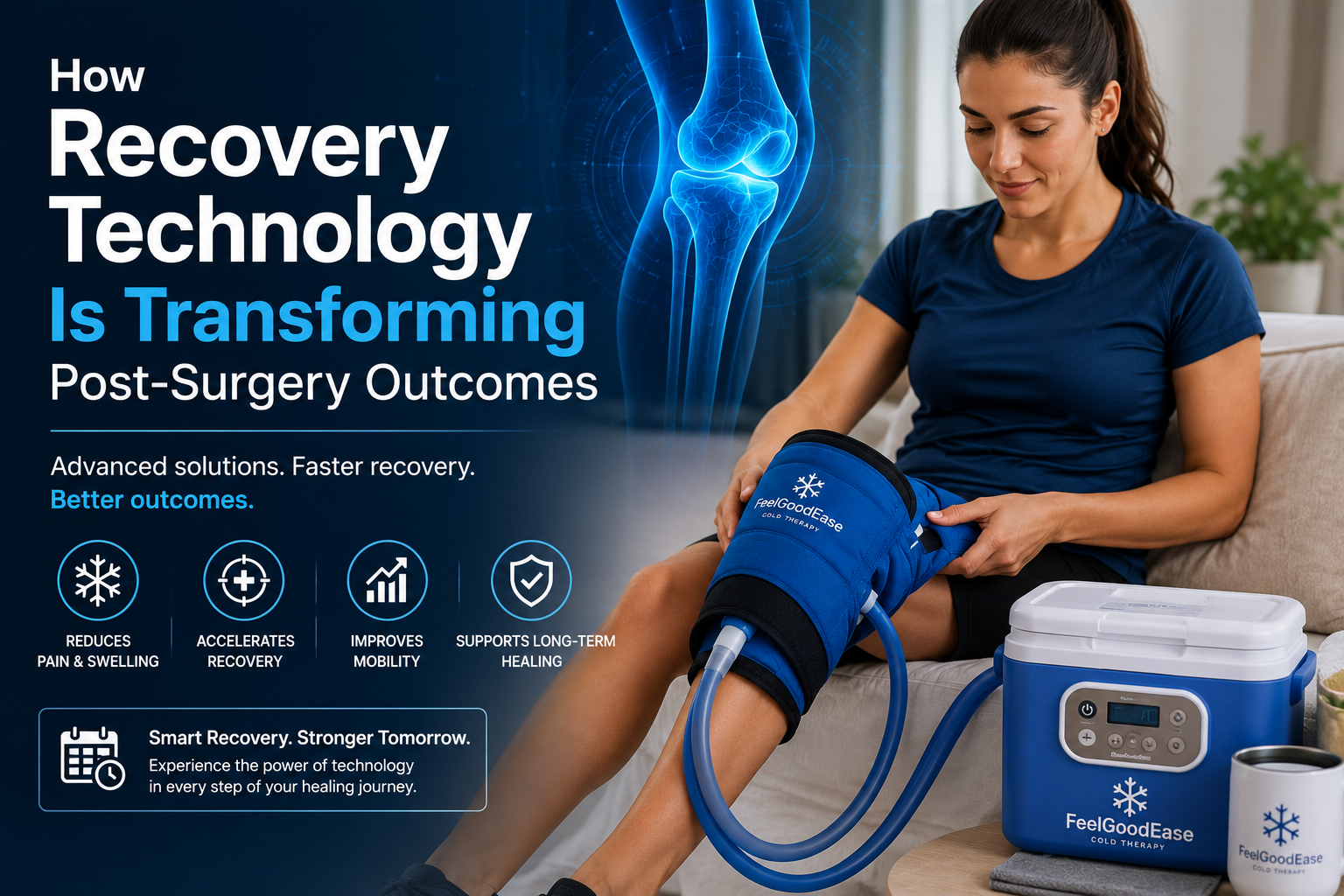
In real-world recovery setups, patients tend to get more consistent outcomes when they use structured tools alongside clear daily routines. For example, platforms like FeelGoodEase combined with the use of a reliable cold therapy machine can help patients manage inflammation more consistently instead of reacting to symptoms as they appear.
This guide focuses on what actually works, what to set up before discharge, and how to use these tools without relying on them blindly.
Because the goal isn’t more technology. It’s fewer mistakes.
Why the First 72 Hours After Discharge Are the Most Dangerous
Discharge instructions don’t fail because they’re wrong. They fail because no one remembers them.
You’re in pain. You’re groggy. You’re trying to get home. Someone explains a few steps and hands you paperwork. Then you’re expected to manage everything yourself.
That’s not a stable system. Pain medication slows thinking. Anesthesia lingers. Anxiety fills in the gaps. Details get missed. Medications get delayed. Exercises get skipped. Wound care becomes inconsistent.
Then comes the instruction:
“Follow up in 7-10 days.”
It sounds reasonable.
It isn’t.
A lot can change before that appointment. Swelling can increase. Infections can begin. Mobility can decline. Small issues can build without being noticed.
At home, there is no structure unless you create it.
- No one checks your medication timing.
No one monitors your incision.
No one tracks your recovery consistency.
That lack of visibility is where recovery starts to drift.
Communication makes it worse. Most patients leave without a clear point of contact. They’re told to “call if something feels wrong.”
But what counts as wrong?
By the time that question is answered, the situation has often escalated.
This is the invisible handoff where recovery either stays on track or starts to fail.
Two Paths Home: What Actually Changes in the First Two Weeks
The difference isn’t effort. It’s structure.
Patient A: Tech-Supported
Leaves with systems already in place. Devices are connected. Reminders are active. A caregiver understands the process.
Day 1: Medications are taken on time.
Day 2: A mild symptom is flagged early. A nurse reviews it. Action is taken quickly.
Exercises are completed consistently. Recovery stays stable.
Patient B: Traditional
Leaves with instructions and no system.
Day 1: A dose is missed.
Day 2: Fatigue increases but is ignored.
Day 4: Something changes but there’s no baseline for comparison.
Now everything becomes reactive.
Where recovery separates:
Early detection vs delayed response
Guided action vs guesswork
Visibility vs isolation
Same surgery. Different outcome.
What Discharge Planners Actually Do (And Where Patients Get Lost)
Many assume everything is fully set up before discharge. It isn’t.
In the final hours, information is delivered quickly. Devices may be assigned. Apps introduced. Instructions explained. But patients are exhausted. Caregivers are distracted. Logins are forgotten. Devices remain unused.
The most common instruction remains:
“Call if something seems wrong.”
The problem is that “wrong” is never clearly defined.
In practice:
Hospital-provided tools may be limited and depend on insurance.
Direct-to-consumer tools offer flexibility but require discipline.
Neither works without clarity.
The goal is not more tools.
It’s fewer gaps.
What Recovery Technology Actually Is (And Isn’t)
Most patients assume recovery technology means more devices.
It doesn’t. It means visibility, knowing what’s happening and catching problems early.
Remote Patient Monitoring (RPM)
RPM includes medical devices that track vitals and send data to your care team.
Typical setup includes:
Blood pressure monitoring
Oxygen level tracking
Occasionally weight tracking
When connected properly, these tools allow clinicians to review your condition without waiting for you to call.
But there’s a critical distinction:
Hospital-connected devices → trigger review
Standalone devices → only show data
Data alone does not create action. Setup matters. If pairing isn’t completed before discharge, it often fails at home.
Patient Engagement Platforms and Discharge Apps
These tools provide structure through daily guidance.
Instead of guessing, you follow:
Medication schedules
Symptom checks
Recovery tasks
Some systems flag concerning inputs and trigger follow-up. But they are not fully integrated across all providers. You still need communication.
If the system fails due to technical issues have a fallback:
Printed instructions
Clear manual tracking
Direct contact information
Technology is useful only when it works reliably.
Tele-Rehab and Medication Systems
Rehabilitation tools improve consistency by guiding exercises and tracking progress.
They remove guesswork.
Patients who follow structured routines tend to:
Recover mobility faster
Maintain consistency
Manage discomfort more effectively
In many cases, combining guided rehab with targeted recovery support like an ice therapy machine helps reduce swelling and discomfort, making it easier to stay consistent with movement during early recovery.
Medication systems address a different issue: missed doses.
They provide:
Reminders
Dose tracking
Caregiver alerts
But simplicity matters. Too many alerts can create confusion.
Wearables and Continuous Monitoring
Wearables track trends over time rather than isolated readings.
This helps detect:
Gradual temperature increases
Changes in resting heart rate
The value is in patterns not individual numbers. But comfort determines usage. If a device is uncomfortable, it won’t be used consistently.
Clinical Devices vs Wellness Gadgets
Not all devices are equal. Clinical-grade devices are tested and approved for medical use.
Wellness devices are designed for general tracking. A fitness tracker can support motivation.
It should not guide recovery decisions. Accuracy matters when decisions depend on data.
Myth vs Reality: What Recovery Technology Actually Delivers
Myth: Technology replaces your care team
Reality: It supports earlier intervention
Technology flags issues. Humans make decisions.
Myth: It’s only for tech-savvy users
Reality: It’s most useful for those who need structure
Most systems are designed to be simple and accessible.
Myth: If the system says you’re fine, you are
Reality: Your judgment still matters
Not all issues appear in data. Symptoms and intuition still count.
Myth: All wearables are medical-grade
Reality: Most are not
Marketing can be misleading. Always verify device purpose.
Myth: It’s too expensive
Reality: Some tools are already included in care
Before discharge, ask:
What is included
What is optional
What requires payment
Clarity prevents confusion later.
What Actually Improves Recovery Outcomes
Reduced Readmissions
When recovery is tracked daily, problems are identified earlier.
Traditional pattern:
Change → delay → escalation
Monitored pattern:
Change → detection → review → response
That shift in timing reduces complications.
Better Mobility and Pain Management
Recovery depends on consistency.
Structured systems improve adherence to:
Exercise routines
Medication timing
This leads to:
Faster mobility
More predictable recovery
Better pain control
The advantage isn’t better treatment, it’s consistent execution.
How to Evaluate Claims Yourself
You don’t need to rely on marketing.
Check:
PubMed for research studies
Cochrane reviews for summaries
Regulatory approvals for devices
Look for patterns not isolated claims.
How to Read Research Without Getting Overwhelmed
Focus on:
What was measured
How the tool was used
What changed
Ignore complex statistics. Look for clear outcome differences.
How These Recommendations Are Evaluated
Reliable recovery tools are based on:
Peer-reviewed evidence
Real-world hospital use
Regulatory approval
If those are missing, reliability is questionable.
Why This Needs Regular Review
Recovery technology evolves quickly. Devices change. Apps update. Coverage shifts.
Before using any system, confirm:
It is still supported
It is still approved
It still applies to your condition
The goal isn’t to follow every new tool. It’s to use what works, ignore what doesn’t and maintain structure during the most critical phase of recovery. Because better recovery isn’t about doing more. It’s about missing less.
Your Week-by-Week Recovery Tech Roadmap: From Discharge to First Follow-Up
This is where most plans fail. Not because they’re wrong. Because no one follows them consistently. You don’t need more information. You need a simple structure.
Follow this.
Week 1: Setup, Symptom Tracking, and the Tech Buddy System
Week 1 is about setup and visibility. If your system isn’t working now, it won’t work later.
Do this before you leave the hospital.
Not at home.
Day 0 (Before Discharge)
Download all required apps
Log in and save your passwords
Pair all devices (Bluetooth, sensors, monitors)
Confirm data is transmitting
Write down the exact callback number (not the main hospital line)
If something doesn’t work here, fix it before you leave.
Expert Tip: Set everything up while clinical staff are still available to troubleshoot.
Tech Buddy Rule
You should not manage this alone in the first week.
Assign one person.
Their role:
Check alerts
Confirm data is recording
Help manage the app
Expert Tip: A tech buddy reduces errors when fatigue and medication affect focus.
Day 1-3 (Critical Window)
Take vitals at the same time daily
Capture incision photos in consistent lighting
Follow medication exactly as prescribed
Complete all symptom check-ins
This creates your baseline.
Without it, you can’t detect change.
Daily Routine (Keep It Simple)
Morning: vitals check
Midday: symptom check
Evening: caregiver review
Consistency matters more than perfection.
Expert Tip: Small, honest updates often trigger early intervention.
If Something Stops Working
Device not syncing → restart and re-pair
App crashes → reopen or reinstall
Data missing → contact support immediately
Do not ignore missing data.
No data = no monitoring.
Week 2: Building the Routine
Week 2 is about consistency. This is where patients start skipping steps.
Pain may be lower. Discipline drops. Don’t let it.
Focus on Three Areas
Biometric Trends
Don’t focus on step counts. Track:
Resting heart rate
Sleep quality
Fatigue
These change before visible problems appear.
Expert Tip: Trends matter more than daily numbers.
Physical Therapy Consistency
Follow your schedule
Use reminders if available
Involve a caregiver if needed
You don’t need more exercises. You need consistent ones.
Medication Timing
Take doses at the same time daily
Watch for missed or delayed doses
Adjust reminders if needed
Small timing errors build quickly.
When to Call vs Wait
Call your care team if:
Symptoms increase
Pain changes suddenly
Swelling or redness spreads
Wait and monitor if:
Symptoms are stable
Changes are mild and short-term
If unsure, call.
Weeks 3-4: Moving Toward Independence
This phase shifts from monitoring to active recovery.
You’re doing more but structure still matters.
Transition Gradually
From constant monitoring → selective tracking
From guided recovery → self-managed routines
What to Keep Tracking
Devices don’t capture everything. Add:
Mood
Appetite
Nausea
Energy
These often signal problems early.
Expert Tip: A simple daily note fills gaps technology misses.
Preparing for Follow-Up
Before your appointment:
Review trends
Note key changes
Prepare focused questions
Doctors don’t need all the data.
They need to change.
When to Scale Back Monitoring
Reduce tracking when:
Symptoms are stable
Mobility improves
No alerts trigger for several days
At that point, basic tracking is enough.
The “Ask Before You Leave” Checklist
Most patients don’t ask these questions.
They should.
Insurance and Billing
Is monitoring covered or billed separately?
Will there be device fees?
Who handles billing issues?
Technical Setup
What number do I call if there’s a problem?
Who reviews my data and how often?
What triggers a real call?
Compatibility
Will the app work on my phone?
Does it connect with other providers?
What’s the backup plan if it fails?
Write everything down.
Don’t rely on memory.
Matching the Right Tool to Your Surgery
Choosing the right technology isn’t about having more tools. It’s about using the right one. Different surgeries create different risks. Your setup should reflect that.
How to Personalize Your Recovery Setup
Match your tools to what needs monitoring most mobility, vitals or wound healing.
Orthopedic → movement + rehab tracking
Cardiac → vitals + medication systems
Abdominal → infection + wound tracking
What Most Patients Get Wrong
They use the same setup for every surgery.
That doesn’t work.
Different risks require different priorities.
Simple Rule
Ask:
“What is most likely to go wrong?”
Then monitor that.
Not everything.
Just what matters.
A Practical Example
Mobility risk → rehab tracking
Vital risk → monitoring devices
Infection risk → wound + temperature tracking
Keep it focused. Too many tools create confusion.
Final Check Before You Commit
Before using any system, confirm:
Is it medically approved?
Who reviews the data?
What happens if something is flagged?
Can you use it without help?
If not, the system is incomplete.
Safety, Privacy and Red Flags
Technology helps but it doesn’t replace awareness. You still need to know what matters.
Who Sees Your Data?
Data is not always reviewed instantly and not always by your surgeon.
It may be:
Reviewed by a nurse
Processed by a third party
Checked during limited hours
Know your coverage window.
Hospital vs Consumer Apps
Hospital systems usually:
Are secure
Follow privacy rules
Limit access
Consumer apps may not.
If privacy isn’t clearly explained, assume less protection.
Basic Home Setup
Use private WiFi
Keep devices updated
Protect your login
Simple steps prevent real problems.
When to Trust Yourself
If something feels wrong, act. Even if the system shows normal data.
Emergency Symptoms
Act immediately if you have:
Breathing difficulty
Uncontrolled bleeding
Sudden confusion
Severe wound changes
These are not “wait and monitor” situations.
What Technology Misses
Devices don’t capture:
Mood changes
Appetite loss
Subtle physical changes
Observation still matters.
Accessibility Reality
If the system feels complicated it will fail.
Simplify it.
Use larger text
Enable caregiver access
Stick to simple routines
Insurance Reality Check
Some tools are covered. Others are not.
Hospital systems may be covered.
Consumer devices are not.
Ask Before You Leave
Will I be billed?
Who handles charges?
What is covered?
Get clarity early.
Recovery Tech for the Technophobe
Not everyone is comfortable with technology. That’s normal. Recovery should adapt to you, not the other way around.
Keep It Simple
If it feels complicated now, it will fail later.
Use:
Large text
Voice guidance
Caregiver support
You don’t have to manage everything alone.
Caregivers can:
Receive alerts
Track progress
Support decisions
Support matters more than independence early on.
Technology Supports Care It Doesn’t Replace It
Devices don’t provide care.
People do.
Technology just helps them respond sooner.
The Human Layer
A nurse reviews alerts
Decides what matters
Contacts you if needed
Without that, data has no value.
Conclusion: Technology Is a Bridge, Not a Replacement
Recovery technology works when it fills the gap not when it replaces care.
The patients who recover well are not the most tech-savvy. They are the most prepared.
They:
Set up before discharge
Used simple systems
Knew who to call
Your recovery is still human. Technology just ensures problems are seen early before they become serious.
FAQs: Recovery Technology and Real-Life Use
Do I need to be good with technology to use recovery tools?
Answer: No. Most systems are designed for simple daily use. The key is setting them up before discharge and involving a caregiver if needed. You don’t need technical skills, you need a clear routine.
What if I can’t use the app or device properly?
Ask for a simpler backup plan before leaving the hospital. This could include printed checklists, manual tracking, or direct phone follow-up. Technology should support you, not block your recovery.
Who actually monitors my data after surgery?
In most cases, a nurse or monitoring team reviews your data often during working hours. Not every alert triggers an immediate response, so always confirm timelines before discharge.
Can I rely completely on recovery technology?
No. These tools help detect problems early, but they don’t replace medical judgment. If something feels wrong, contact your care team even if your app shows normal readings.
What happens if my device stops working?
Do not ignore it. Restart the device, check connections and call support if needed. If monitoring stops, your safety net is reduced so act quickly.
Is recovery technology always covered by insurance?
Not always. Hospital-provided monitoring may be billed through your insurance, while consumer devices are usually out-of-pocket. Always confirm costs before discharge.
When should I go back to the hospital instead of waiting?
Seek immediate care if you have chest pain, breathing difficulty, heavy bleeding, confusion or sudden worsening symptoms. Do not wait for app confirmation in these cases.
Can a caregiver manage everything for me?
Yes. Most systems allow caregiver access so they can monitor alerts, track data and help manage daily tasks especially useful in the first week after surgery.
Recovery works best when it stays simple, structured and supported.
Technology helps.
But people make it work.