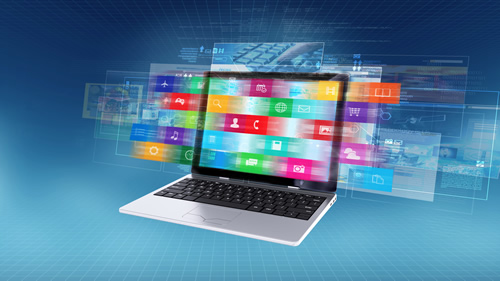
In today’s modern age, students learn through a combination of text, videos, documents, and slides. Moreover, with the evolution of education, presenters now need to deliver information that students can easily understand or retain. Here, multimedia presentation software becomes important by bringing different content types together into a single learning experience.
It helps presenters work with various types of file types, eventually making it easier to adapt content for classrooms, online learning environments, workshops, and training sessions. In this context, the presentation software, such as Mediagun, supports this approach by helping presenters manage and deliver educational content more efficiently.
Why Students Need More Than Traditional Slides
Let us tell you why students need more than just traditional slides.
Different Learning Ways
Some students learn effectively through text-based slides, and some respond better to visuals. Additionally, others benefit from videos, audio, or content. Because presenters who depend on a single content format may struggle to reach all learners in a classroom. But by including different types of educational materials, instructors can create a more inclusive learning experience that accommodates various learning preferences.
Modern Learning Environments
The time of the traditional classroom is over and is no longer limited to lectures and printed handouts. Now educators want to use digital tools, online resources, and multimedia content to support learning. Moreover, students are used to consuming information through multiple formats every day.
Information Retention
Students are more likely to remember information when it is presented through a combination of formats rather than through text alone. For instance, visual information like diagrams, videos, and supporting documents helps reinforce concepts and makes lessons easier to understand for students. This also improves comprehension and supports long-term knowledge retention.
Now you understand what students need more than traditional slides. Let us tell you how multiformat presentation software helps student learning.
How Multimedia Presentation Software Supports Student Learning
Below are how presentation software supports student learning easily and efficiently:
Combines Multiple Content Types
Among many, one of the biggest advantages of multimedia presentation software is its ability to bring different forms of educational content into a single presentation flow. Presenters can include educational videos, images, PDF documents, audio clips, and interactive learning materials.
So, instead of switching between multiple apps, it helps presenters access everything in one environment. This creates a smoother and easier learning experience for students, plus allows presenters to focus on teaching rather than managing files.
Makes Difficult Topics Easy to Understand
Many subjects contain concepts that are difficult to explain using text alone. In this regard, multimedia presentation software allows presenters to use videos and diagrams that simplify complex information.
Supports Active Student Engagement
It is difficult to maintain student attention, especially during lengthy presentations. Additionally, repetitive slides may cause students to lose focus over time. So, including videos, visuals, and images can help presenters keep students engaged. Conclusively, the students who remain engaged throughout a lesson are generally more likely to absorb and retain information.
Benefits of Multiformat Presentation Software in Education
Here’s how multimedia presentation software helps educators and supports them in the smooth delivery of content
Supports Different Educational Resources
Educational content exists in many formats, and presenters frequently work with PDFs, spreadsheets, videos, audio clips, and images. However, multiformat presentation software supports these different file types within a single presentation environment. This helps presenters to use all the resources for each topic without worrying about compatibility issues. This results in lessons becoming more flexible and resource-rich.
Adapts to Different Learning Environments
The patterns in which education is delivered have become different. The educational presentations are often delivered across multiple settings. For example, a lesson may begin in a classroom, continue online, and later be shared as supporting material with students. In this scenario, presentation software enables the same content to be adapted for different delivery methods. This also empowers the presenters to use their materials across in-person classes, virtual sessions, workshops, and self-paced learning environments.
Easy Content Distribution
Frequently, students need access to presentation content and materials after a lesson ends. Additionally, sharing educational resources in accessible formats helps reinforce learning outside the traditional classroom environment. This also makes it easier to distribute content via various formats that students can review later. It also supports independent study and helps learners to grasp and revisit important content at their own pace.
Reduces Classroom Disruptions
Interruptions, especially technical ones, can affect the flow of a lesson and reduce student engagement. However, searching for files or switching between apps wastes valuable instructional time. So, by organizing content in advance, presenters can move smoothly through lessons without unnecessary delays, and students remain focused on the material instead of waiting for technical issues to be resolved.
Improves Presenter Confidence
When educational content is easily accessible, presenters can focus on teaching rather than troubleshooting. Plus, knowing the location of videos, documents, and supporting materials can help in the easy delivery of lessons or materials with greater confidence. This often results in clearer communication and stronger classroom interaction.
Consistent Learning Experiences
Consider this or not, but consistency is important in education, particularly when presentations are delivered to multiple classes or groups. Additionally, structured presentation systems help ensure that all students receive the same information in the same format. This helps improve learning outcomes and makes lesson delivery more reliable across different sessions.
Conclusion
Assuredly, educational presentations are most effective when they combine clear communication with engaging content. Here, multimedia presentation software helps presenters bring together videos, images, documents, and other learning resources into a smooth experience that helps and supports student understanding and participation. In this context, presentation software offers the flexibility needed to work with diverse educational resources and deliver content across different learning environments. Platforms such as Mediagun further simplify preparation by helping presenters organize materials and maintain a consistent presentation flow.
As educational expectations continue to evolve, multimedia presentation software will remain a valuable tool for creating engaging, accessible, and effective learning experiences for students as well as trainers and students because the times have changed and traditional learning methods are not applicable anymore.