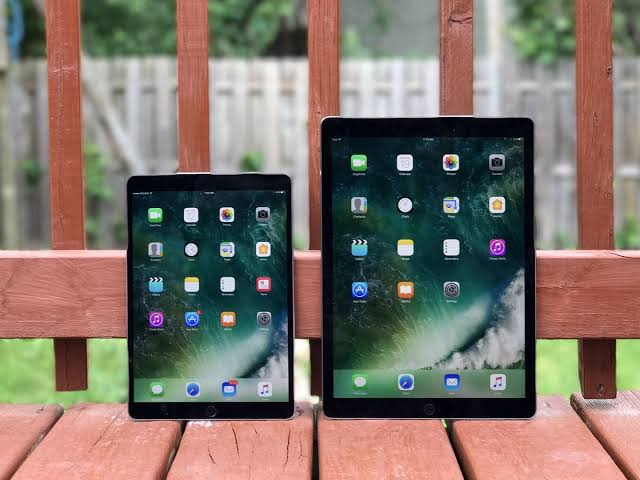
Choosing the right iPad for an event or business project depends on how you plan to use it. The iPad Mini is a practical option for mobile teams, quick demonstrations, and situations where portability matters. The iPad Air offers a good balance of performance and flexibility for training, presentations, and everyday business tasks. For demanding applications such as design, video editing, and other performance-heavy work, the iPad Pro provides the extra power you need.
For most exhibitions, sign-up desks, and staff walking the floor, the iPad Mini or iPad Air covers it comfortably. For anything involving heavy graphics, live video capture, or multitasking between several apps, step up to the iPad Pro. Businesses that hire an ipad for short-term projects usually find it far more practical than buying outright, since the right model can simply be swapped in for each event.
Why the Right iPad Model Actually Matters
Not every business task needs the fastest chip on the market. A reception iPad taking visitor sign-ins doesn’t need the same horsepower as one running a live 3D product configurator on an exhibition stand. Picking the wrong model either wastes budget on power you’ll never use, or leaves staff working with a screen too small and underpowered for the job.
This matters more now than it used to. Apple’s current lineup spreads performance and screen size further apart than in previous years, so the gap between a Mini and a Pro is genuinely noticeable once you’re running demanding apps or presenting to a room.
Why Businesses Hire Rather Than Buy
Buying a fleet of iPads for occasional events rarely makes financial sense, particularly when different jobs call for different models throughout the year. Owning a kit also means staff get stuck with whatever was bought two or three years ago, even once newer, better suited hardware is available.
This is where a specialist supplier makes the difference. Tablethire supplies businesses across the country with the right device for each brief, configured and ready to collect or delivered direct to the venue, which removes the guesswork from matching hardware to the task.
iPad Mini: Best for Portability and Quick Interactions
The iPad Mini runs on the A17 Pro chip and keeps an 8.3 inch screen, making it the smallest and lightest option in the current range. It’s built for tasks where speed of handling matters more than screen real estate.
Where a Mini earns its place
● Staff walking a show floor collecting leads
● Ticket or badge scanning at entrances
● Quick product lookups at a retail counter
iPad Air: The All-Rounder for Presentations and Training
The iPad Air, built on the M4 chip, sits in the middle of the range and now comes in both 11 inch and 13 inch sizes. It handles presentations, video calls, and moderately demanding apps without the higher price tag of the Pro line, which makes it a sensible default for most business hires.
Organisations booking iPad hire for training sessions tend to land on the Air specifically because it’s large enough to read comfortably from across a table, powerful enough to run interactive course material, and light enough to hand out to a full room without anyone complaining about the weight by lunchtime.
Where an Air earns its place
● Classroom or workshop style training sessions
● Client presentations and pitch meetings
● Sign-up and feedback stations at conferences
iPad Pro: Built for Demanding, High-Spec Work
The iPad Pro runs the newer M5 chip and is aimed squarely at users pushing the hardware, think video editing on the move, detailed CAD or design review, or apps that lean on the ProMotion display for smooth, high refresh visuals. It costs more to hire than the other two, so it’s worth reserving for genuinely demanding use cases rather than defaulting to it out of habit.
Where a Pro earns its place
● Live video capture and editing at an event
● Design or architecture walkthroughs with clients
● Multitasking heavy apps side by side during a demo
iPad Air vs iPad Pro vs iPad Mini: Quick Comparison
A side-by-side view makes the decision easier when you’re choosing between models for a specific event brief.
| iPad Mini | iPad Air | iPad Pro | |
| Screen size | 8.3 inch | 11 or 13 inch | 11 or 13 inch |
| Chip | A17 Pro | M4 | M5 |
| Best suited to | Roving staff, ticketing, small handheld demos | Presentations, training, sign-up stations | Design work, video, high-spec demos |
| Weight | Lightest, easiest one-handed use | Mid-weight, still portable | Heaviest of the three |
Matching the iPad to the Event Type
Different events call for different setups, and it’s rarely a one-size-fits-all decision, especially for businesses running multiple stands or sessions on the same day.
Exhibitions and trade shows
Larger exhibitions often need a mix of models. Roving staff do well with a Mini, while the main stand display or product demo station usually benefits from an Air or Pro depending on what’s being shown. Businesses sourcing iPad hire for exhibitions frequently order a small bundle of different models for exactly this reason, rather than fitting every role to a single device.
Training and workshops
Training rooms rarely need top-tier processing power. An Air handles slide decks, quizzes, and interactive course apps comfortably, and its larger screen keeps material readable without attendees squinting from the back row.
Corporate meetings and client pitches
For boardroom presentations, screen clarity and a smooth interface matter more than raw processing power. An Air covers this well, though teams presenting detailed design work or video content may prefer stepping up to a Pro.
How to Choose the Right Model for Your Next Event
Start with what the iPad actually needs to do on the day, not which model sounds most premium. A few questions help narrow it down quickly.
● Will staff be walking around or standing at a fixed point
● Does the app being used need heavy processing power
● How many attendees will view the screen at once
● Is the device being handed to the public or used by staff only
Businesses searching for iPad hire UK wide typically get better results when they brief their supplier on the actual use case rather than just asking for the newest model. A good hire company will steer you toward the right fit rather than the most expensive option.
Frequently Asked Questions
1. Which iPad is best for exhibitions and trade shows?
The iPad Mini suits roving staff and quick interactions, while an iPad Air works well for stand displays and product demos that need a larger screen.
2. Is the iPad Pro overkill for a training session?
For most training sessions, yes. The iPad Air handles slide decks, quizzes, and interactive material comfortably without needing the Pro’s extra power.
3. Can I hire different iPad models for the same event?
Yes, most hire companies allow mixed orders, so roving staff can use a Mini while a main display station runs an Air or Pro.
4. Do hired iPads come pre-configured for business use?
Reputable suppliers set up apps, kiosk mode, and Wi-Fi settings before delivery, so devices are ready to use straight out of the box on-site.
5. What’s the main difference between the iPad Air and iPad Pro?
The Air uses the M4 chip and suits everyday business tasks, while the Pro runs the newer M5 chip and is built for demanding work like video editing and detailed design review.
6. How far in advance should I book iPad hire for an event?
Booking two to three weeks ahead is usually enough, though popular event seasons can sell out preferred models faster, so earlier is safer.
Final Thoughts
Choosing between the iPad Mini, Air, and Pro comes down to matching the device to the job rather than picking whichever one looks best on paper. A roving staff member scanning badges doesn’t need the same tool as a designer walking a client through a 3D concept, and getting that match right makes the whole event run smoother.
For businesses that want the right model without the guesswork, Tablethire configures and delivers devices suited to the exact brief, whether that’s a single stand or a full multi-site rollout. Share the use case, and the right iPad follows from there.