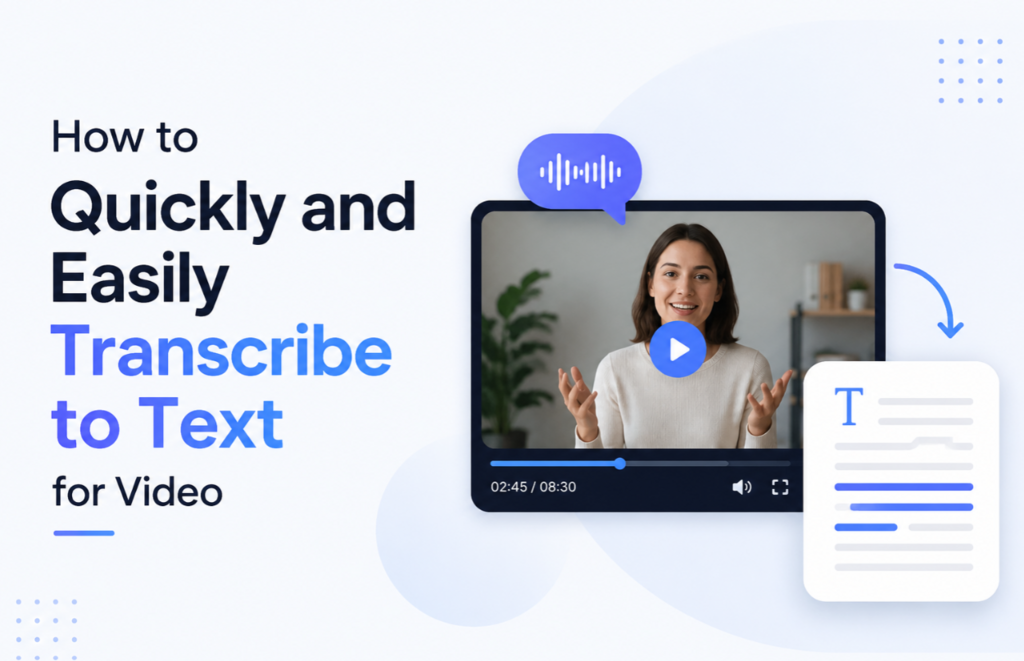
In today’s digital workflows, processing massive amounts of multimedia files often becomes a bottleneck. When you need to efficiently transcribe videos to text, traditional methods are not only extremely time-consuming but also prone to errors. Hiring professional human services often means high costs and long wait times.
This guide will explore how to quickly convert large amounts of media recordings into highly accurate, easy-to-read text files, helping you streamline your workflow without exceeding your budget.
Why You Need to Extract Text from Video

Converting speech to written documents fundamentally changes how teams manage information. Utilizing written transcriptions offers the following key advantages:
- Improved SEO Visibility: Search engines can effectively crawl written text, bringing more organic traffic to your media assets.
- Simplified Editing Process: Text-based formats simplify post-production, allowing creators to pinpoint specific lines in seconds.
- Cross-departmental knowledge sharing: Team members no longer need to rewatch hour-long meeting recordings; they can simply search for specific topics.
By leveraging modern solutions to extract text from video, digital professionals can unlock hidden information value and seamlessly reuse content in blogs and presentations.
By utilizing modern solutions to extract text from video, digital professionals can unlock hidden insights and repurpose content seamlessly.
Manual vs. Automated Transcription
Currently, the transcription field is mainly divided into two methods, which have drastically different impacts on daily operations:
- Manual transcription: Typing word by word offers extremely high control, but can consume hours of valuable manpower just for a few minutes of playback.
- Automated processing: Modern algorithms can process media files not only in a very short time but also at a much lower cost.
Finding the right software to transcribe video to text is key to balancing budget and accuracy, allowing professionals to regain control of their time and focus on core business.
Top Automated Transcription Tools
The market is flooded with automated video-to-text tools, but their performance, cost, and applicable scenarios vary greatly. To help you quickly identify the most suitable solution for your current workflow, we’ve categorized mainstream automated and assisted transcription methods into three main types and provided an objective analysis:
Professional AI Transcription Platforms
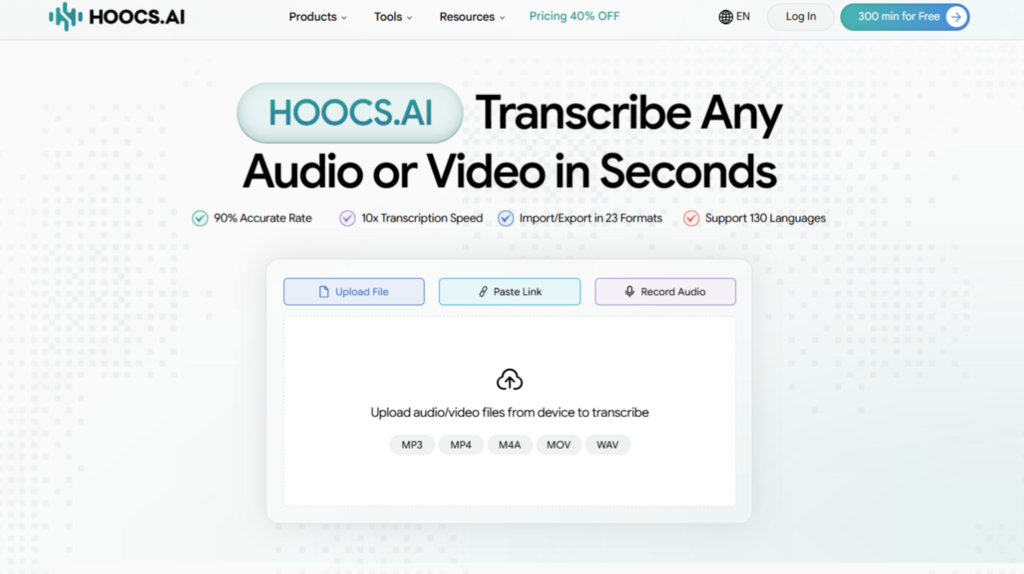
For teams that regularly process large-scale media workflows, a dedicated AI Transcription platform offers the most powerful performance. If your team needs to securely and quickly transcribe text, an AI-driven platform provides the most scalable solution. Tools like Hoocs, for example, run entirely in the cloud and offer significant enterprise-grade features:
Pros
- Extreme Processing Speed: Transforms media extremely quickly, up to 10 times faster than standard playback speed.
- Large File Support: Breaks the limitations of conventional tools, allowing single video uploads up to 10GB and supporting batch processing of multiple files.
- Powerful Multilingual Recognition: Accurately recognizes over 130 different languages and regional accents and automatically distinguishes multiple speakers.
- Intelligent Summary and Concluding: Automatically generates structured mind maps and meeting minutes, significantly reducing the initial information extraction work.
- Rich Export Formats: Supports flexible export of text to over 23 mainstream formats, including SRT, Word, and TXT.
- Free trial: Every user receives 300 minutes of free transcription time upon registration.
Cons
- Highly dependent on network: As a purely cloud-based online platform, transcription cannot be performed offline or without internet access.
- No standalone mobile app: It requires a desktop web browser for complete operation; a dedicated mobile application is lacking.
- Lack of human review service: The purely automated engine processing means that users still need to perform final proofreading for extremely obscure or highly confidential industry jargon.
Free YouTube Built-In Features
If your media files are already published online, using YouTube’s built-in “Show Transcript” feature is a common alternative.
Pros
- Completely free and convenient: It can be used with just a browser; no software downloads or subscription fees are required.
- Instant access: If the video itself has already been automatically processed by the platform system, the entire transcript can be obtained instantly with a click, without waiting for rendering.
Cons
- Not all videos are usable: If the video has noisy background music, contains obscure languages, or the creator has manually disabled automatic captioning, you will not be able to obtain any transcribed text.
- Extremely poor readability: The exported text usually lacks punctuation.
- Unable to identify speakers: In multi-person meetings or interview recordings, it cannot distinguish who is speaking on screen.
- Zero privacy protection: It can only process publicly uploaded videos and is completely unsuitable for processing confidential internal corporate documents.
Professional Human Services
Absolute errors are unacceptable in human transcription, and professional human transcription remains the industry standard, for example, in rigorous legal procedures, medical research, or official compliance audits.
Pros
- Human experts excel at understanding complex industry terminology, dialects, and identifying severely distorted background recordings.
Cons
- These services typically charge exorbitant fees per minute of video.
- Manual scheduling and delivery cycles of several days can easily delay urgent office projects.
Fine-Tuning Your Editing and Proofreading
Regardless of the automation method you choose, the final human review is crucial to ensuring the document is 100% usable. Even the most advanced AI engines can occasionally err when dealing with specific vocabulary. To maintain professional standards, we recommend setting aside a few minutes to quickly review the final document, focusing on the following:
- Check speaker names and proper nouns.
- Correct highly obscure technical terms or rare abbreviations.
- Adjust paragraph breaks for a smoother reading experience.
This lightweight human intervention ensures the final transcription is accurate and ready for immediate distribution or sharing.
Conclusion
In a fast-paced digital work environment, clinging to outdated manual typing methods will only slow down business growth. Switching to automation solutions allows you to extract the maximum value from your media assets in the most efficient way.
We strongly recommend leveraging modern AI transcription software to eliminate repetitive administrative tasks. Many platforms now offer generous onboarding benefits for new users . Taking this step is a smart and risk-free strategy to permanently boost your daily productivity and streamline your content workflow.