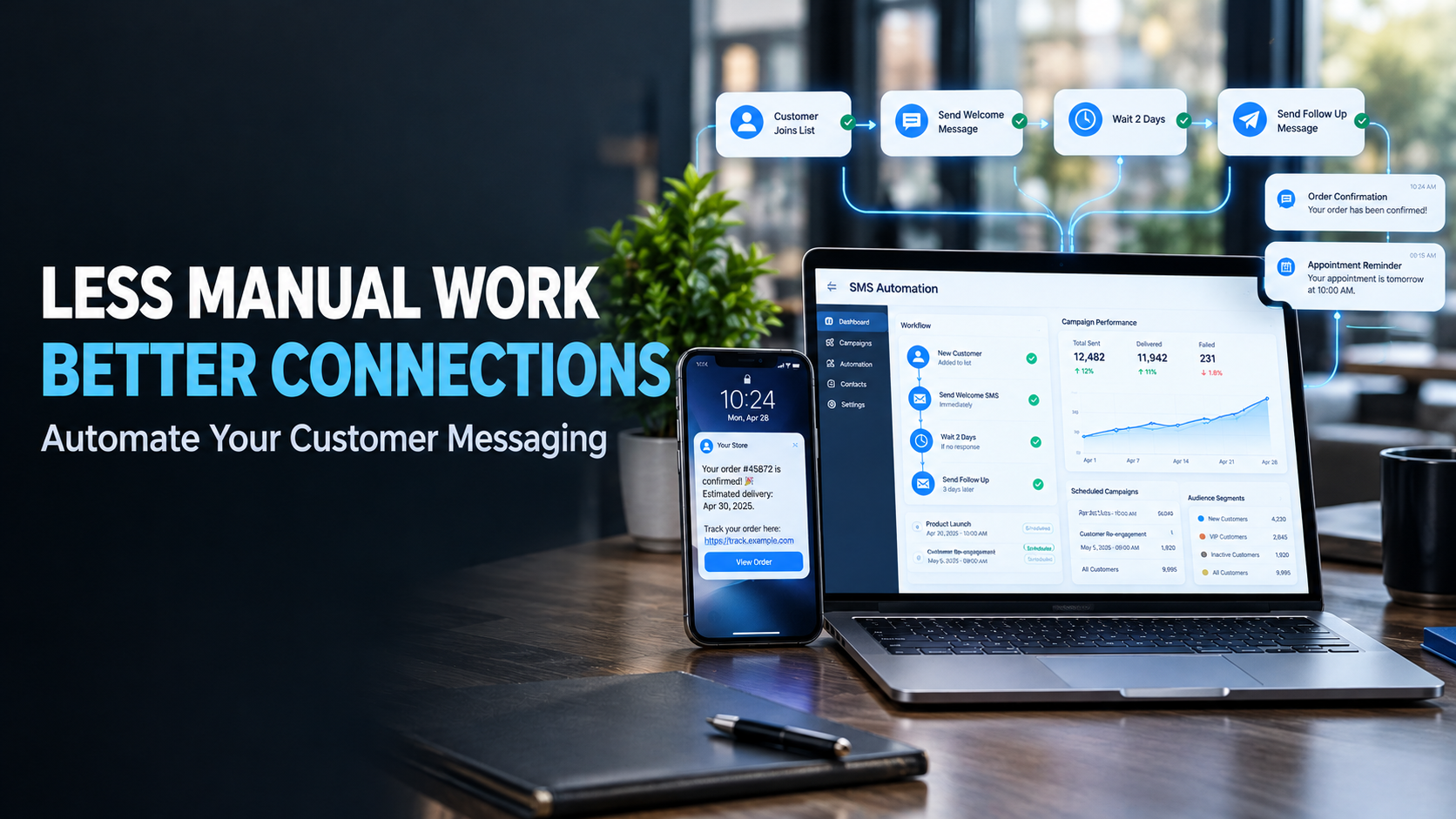
Businesses send many messages every day, from order confirmations and appointment reminders to account alerts and service updates. Managing these messages manually can take valuable time, especially as a customer base grows. SMS automation helps businesses simplify this process by connecting text messaging with their existing software and sending messages automatically when specific events occur.
Instead of asking employees to handle every message, businesses can create workflows that deliver information at the right time. This reduces repetitive work, improves consistency, and helps customers stay informed throughout their interactions with a company.
What Is SMS Automation?
SMS automation uses software to send text messages based on predefined rules, schedules, or customer actions. It can be connected to websites, mobile applications, booking systems, and customer management tools.
For example, when a customer places an online order, the system can automatically send a confirmation. A clinic can schedule appointment reminders, while a digital service can deliver a verification code during registration.
An SMS API makes this possible by allowing business software to communicate with an SMS messaging service.
The process usually involves three steps:
- A customer completes an action, such as making a purchase.
- The business system sends a request to the messaging service.
- The service processes the request and attempts to deliver the text message.
Once configured, these workflows can operate with little manual involvement.
Why Businesses Are Moving Toward Automated Messaging
Manual messaging may work for a small number of customers, but it becomes harder to manage as a business grows. Employees may spend hours sending reminders, answering routine questions, and sharing updates that could be handled automatically.
Automation helps reduce this workload while keeping communication organised.
Key benefits include:
- Less repetitive work: Employees can focus on tasks that require personal attention.
- Faster updates: Messages can be triggered as soon as an event occurs.
- Consistent communication: Customers receive standard information through a structured process.
- Better scalability: Businesses can manage increasing message volumes more efficiently.
- Fewer missed follow-ups: Automated reminders help businesses maintain contact with customers.
Automation does not remove the need for customer service. Instead, it allows employees to spend more time resolving problems and helping customers with specific needs.
Common Uses of SMS Automation
Automated messaging can support many everyday business activities.
E-commerce: Online stores can send order confirmations, shipping updates, and delivery notifications. Customers receive useful information without needing to contact support.
Healthcare: Clinics can send appointment reminders and scheduling updates. Messages should be designed to protect patient privacy.
Banking and digital services: Businesses can send transaction alerts, login verification codes, and account notifications. These messages should be supported by appropriate security measures.
Hospitality: Hotels, restaurants, and service providers can confirm reservations, remind customers about bookings, and communicate schedule changes.
Marketing: Businesses can send promotional messages, welcome texts, and special offers to customers who have provided the required consent.
The most effective workflows focus on messages that serve a clear purpose. Sending too many notifications can frustrate customers, so automation should improve communication rather than increase unnecessary contact.
Building Better Customer Messaging Workflows
A successful automation strategy starts with understanding when customers need information. Businesses should identify repetitive communication tasks and decide which ones are suitable for automation.
For example, a company might begin with order confirmations and appointment reminders before adding more advanced workflows.
Each workflow should have a clear trigger, a useful message, and a plan for handling errors. If a message fails, the system should record the issue so the team can investigate it.
Businesses should also review their message content regularly. Outdated instructions, incorrect links, or unclear wording can create confusion even when messages are delivered successfully.
Choosing an Automated Messaging Platform
The software behind an automation workflow plays an important role in its performance. An automated messaging platform can help businesses explore SMS services for sending notifications and connecting messaging with their wider operations.
When comparing platforms, businesses should consider API integration, delivery reporting, international coverage, scalability, and technical documentation. Security features and support options are also important, particularly when messages involve customer accounts or sensitive activities.
Choosing a service that fits existing systems can make implementation easier and reduce the need for complicated changes later.
How SMSBoosting Supports Automated Communication
Businesses looking to streamline text messaging can explore SMSBoosting, which provides SMS services for different business communication needs. Its SMS API offering is relevant to companies that want to connect their software with messaging capabilities and automate routine notifications.
Depending on their requirements, businesses can review the available API documentation, supported destinations, integration options, and delivery reporting to determine whether the service suits their workflows.
Starting with a small, clearly defined use case can help businesses test the setup before expanding automation across other activities.
Keeping Automated Messages Useful and Secure
Automation works best when it respects customer preferences. Businesses should use clear language, send relevant updates, and follow applicable privacy rules and consent requirements.
Sensitive information should be handled carefully, and SMS verification should not be treated as the only layer of account security. Companies should also monitor delivery reports and review workflows regularly to identify problems.
Final Thoughts
SMS automation helps businesses reduce manual work, deliver timely updates, and maintain more consistent customer communication. By connecting messaging services with existing software, companies can simplify routine tasks while giving employees more time to focus on customers.
With a suitable platform, well-planned workflows, and responsible messaging practices, businesses can make everyday communication faster, easier to manage, and more reliable.