Stickers have quietly become one of the most reliable product categories in print. The global stickers market was valued at $4.88 billion in 2025 and is projected to reach $7.67 billion by 2033, and 72% of businesses now cite custom stickers as a cost-effective way to build brand identity. For print businesses, that demand only converts into revenue if the design experience behind it is just as easy as the product itself.
The challenge with stickers specifically is shape. Unlike a flat poster or a standard-size card, stickers come in die-cut shapes, custom contours, and increasingly, large repeat patterns for gang sheets and wallpaper-style applications. The right platform handles that variety. The wrong choice creates more manual correction work than it saves.
This guide breaks down the 7 best tools for 2026, what each one does well, and how to choose the right platform for your business.
What Is Sticker Design Software and Why Does It Matter in 2026?
What Exactly Does Sticker Design Software Do?
A sticker design tool is a digital platform that lets businesses or their customers create, preview, and finalise sticker designs before sending them to production. A capable platform handles die-cut shape accuracy, supports custom artwork upload, and outputs print-ready and cut-ready files automatically, removing the manual file correction that used to slow custom orders down.
Why Is Demand for Custom Stickers Growing So Quickly?
Three forces are driving adoption. Small businesses are leaning on stickers as an affordable branding tool, with 48% of small businesses already using custom stickers for promotions. E-commerce brands are using them to enhance packaging and unboxing, since 71% of e-commerce sellers in the US now include custom stickers in their packaging to improve repeat purchases. And personalisation culture, fuelled by social media and DIY trends, has pushed the personalised stickers market to a projected $8.45 billion by 2035.
For print businesses, this means the right software is no longer optional. It is what turns sticker demand into a scalable product line rather than a single basic offering handled manually.
7 Best Sticker Design Software Tools for Print Businesses in 2026
1. DesignO – Sticker Design Software
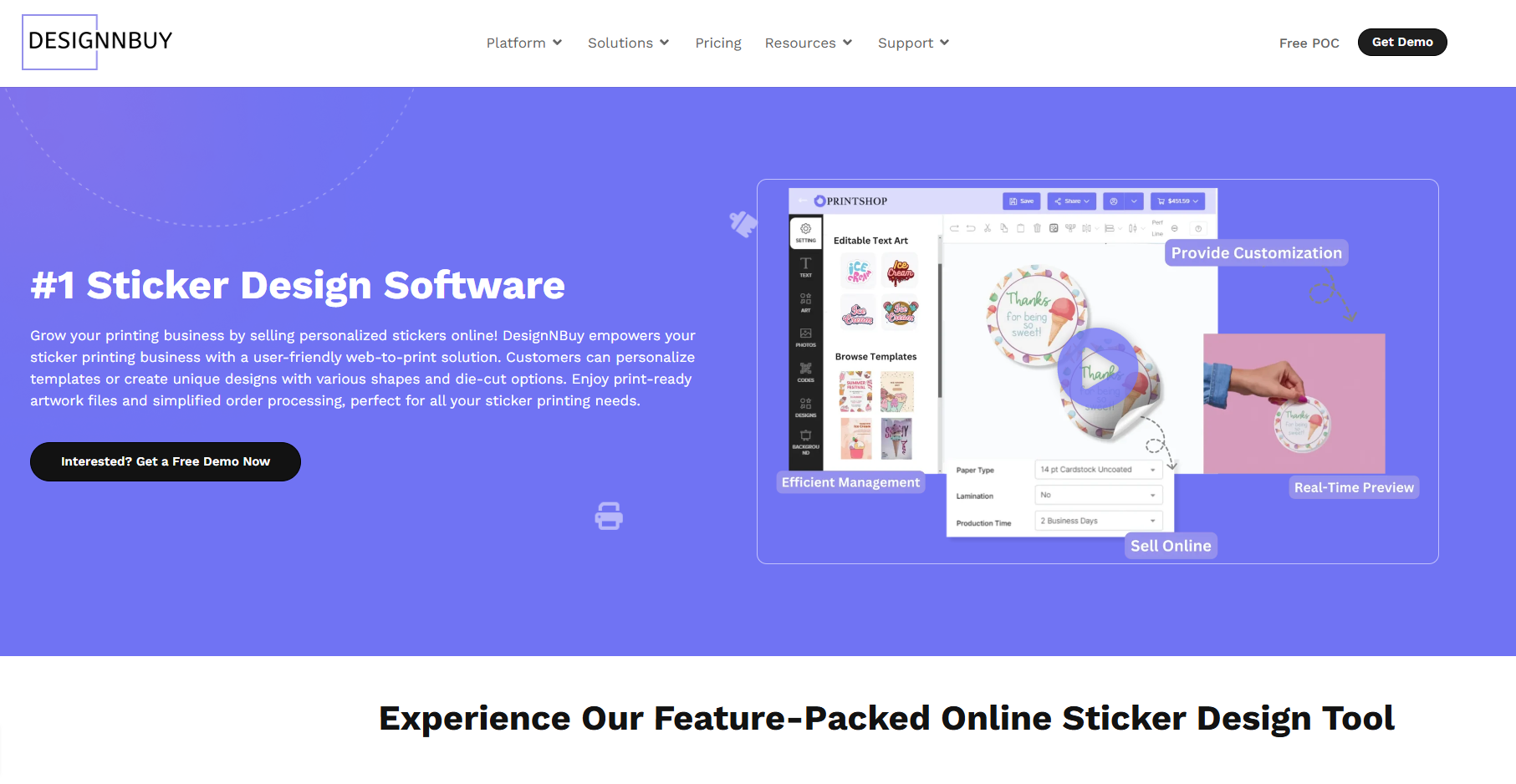
DesignNBuy has significantly expanded its sticker capabilities with the latest DesignO release, making their sticker design software the most complete platform on this list for print businesses that want to sell stickers as a serious product line.
The platform now supports a complete range of sticker types, including die-cut, rectangle, square, oval, circle, and fully custom shape stickers. Customers can upload their own artwork and apply custom shape cuts directly using the built-in design tools, so the sticker shape is no longer limited to a handful of presets. Rectangle and square stickers get a clean cut edge suited to product labels and packaging, while oval and circle options add flexibility for branding and creative use.
One of the most significant additions is Step & Repeat functionality, which automatically duplicates design elements across the canvas using patterns including Full Drop, Half Drop, Brick, Mirror, Center, Vertical, and Auto Fill. Customers control the number of copies, spacing, and repeat direction, which is especially useful for sticker sheets, DTF gang sheets, and repeating logo layouts that used to require manual layout work.
Key features:
- Complete sticker type support: die-cut, rectangle, square, oval, circle, and custom shape
- Custom shape cutting using built-in art tools with customer artwork upload
- Step & Repeat with Full Drop, Half Drop, Brick, Mirror, Center, Vertical, and Auto Fill patterns
- Configurable copy count, spacing, and repeat direction for gang sheets and pattern sheets
- Predefined sizes across Product Detail Page, Ask for Quote, Offline Orders, and Quotations
- Bulk product update for personalisation profiles and design assets across multiple products
- Enhanced multi-language support across the design tool and quote workflows
- Real-time pricing, 3D preview, and print-ready output with bleed and cut lines
- Native integration with Shopify, WooCommerce, Magento, and BigCommerce
2. Sticker Builder
Sticker Builder is a dedicated platform built specifically for businesses that want to sell custom stickers online. Customers choose pre-defined graphics or upload their own artwork, and the platform translates the design into printer and cutter-ready files automatically, including automatic imposition that reduces material waste during production.
Key features:
- Automatic imposition to reduce material waste
- Single-view ordering flow for faster simple orders
- Print-ready and cut-ready output sent directly to hot folder or FTP
- Supports pre-made graphics and customer-uploaded artwork
- Purpose-built specifically for sticker and decal businesses
3. LiveArt
LiveArt is a browser-based platform with a strong focus on the sign and decal industry. It requires no installation and integrates with Magento, WooCommerce, and Shopify, with automated proofing and contour-cut support that reduces manual file correction before production.
Key features:
- Browser-based design tool with no installation required
- Customisable shapes, dimensions, and decoration options
- Automated proofing and contour-cut support
- Integration with Magento, WooCommerce, nopCommerce, and Shopify
- Production-ready output suited for immediate printing or cutting
4. Design Huddle
Design Huddle offers embeddable design software as part of a broader web-to-print platform, letting customers design and order stickers without leaving a business’s website. It supports quick PDF imports to convert existing designs into editable templates, along with template locking to control which elements customers can edit.
Key features:
- Embeddable design tool for existing websites
- PDF import and conversion into editable templates
- Template locking to control which design elements customers can edit
- Support for standard and intricate die-cut shapes
- Part of a broader white-label web-to-print platform
5. PrintXpand
PrintXpand’s sticker tool supports custom shape masking so designs fit any outline, along with AI-powered text tools and a clipart library. It supports digital, offset, and screen printing, with real-time pricing as customers adjust their design.
Key features:
- Custom shape masking for die-cut stickers in any outline
- AI-powered text tools and clipart library
- Real-time pricing as customers configure their design
- Support for digital, offset, and screen printing methods
- Integration with Magento, Shopify, OpenCart, and WooCommerce
6. Canva
Canva is widely used for quick sticker creation thanks to its large library of free templates and an accessible drag-and-drop editor. It works well for individuals or small businesses needing a one-off design, but it is not built as a tool for businesses that want to sell custom stickers at scale through their own storefront.
Key features:
- Large library of free sticker templates
- Drag-and-drop editor accessible to non-designers
- Collaboration features for team-based design
- Filter by style, theme, layout, and colour
- Best suited to one-off or small batch personal use
7. Avery
Avery’s online sticker maker targets small businesses and individuals designing stickers for home or small-batch printing. It includes a barcode and QR code generator and mail merge support for variable sticker batches, but has no support for embedding into a third-party storefront or production-grade file handoff.
Key features:
- Built-in barcode and QR code generator
- Mail merge support for variable data sticker batches
- Project saving for easy reordering
- Multiple sticker paper options including matte, glossy, and waterproof
- Best suited to small business and personal use rather than embedded storefronts
How to Choose the Right Sticker Design Software
What Should You Look for Before Choosing a Platform?
The tools on this list split into two groups. Consumer-facing tools like Canva and Avery work well for one-off designs but are not built to be embedded into a storefront or connected to a production workflow. Specialist platforms like Sticker Builder, LiveArt, and PrintXpand are built around sticker and decal production specifically, while Design Huddle offers sticker design within a broader embeddable system.
DesignNBuy sits apart after its latest update. Full support for die-cut, rectangle, oval, circle, and custom shapes, combined with Step & Repeat for gang sheets and pattern-based products, covers both standard sticker orders and the more advanced repeat-pattern work that textile and DTF printing businesses increasingly need.
Is Sticker Design Software Worth the Investment for Small Print Shops?
For most small print shops, yes. With 58% of small businesses depending on custom stickers for brand visibility and 65% of consumers saying customised packaging, including branded stickers, increases the perceived value of a product, the cost of not offering a smooth online design experience tends to show up as missed orders rather than an obvious expense.
Frequently Asked Questions
What is the best sticker design software for print shops?
For print shops wanting a complete catalogue with custom shapes and repeat patterns, DesignNBuy is the strongest option. For sticker-specific businesses, Sticker Builder and LiveArt are solid specialist choices.
Does sticker design software support custom die-cut shapes?
Most modern platforms do. DesignNBuy, Sticker Builder, LiveArt, and PrintXpand all support custom shape cutting based on customer-uploaded artwork.
Can sticker design software handle gang sheets and repeat patterns?
DesignNBuy is the only platform on this list with dedicated Step & Repeat functionality, supporting Full Drop, Half Drop, Brick, and other patterns for gang sheets and pattern-based production.
Final Thoughts
The sticker market is growing because stickers have become a genuine branding and packaging tool, not just a novelty item. Choosing the right platform comes down to matching the software to how your business actually sells, prices, and produces stickers at scale.
For print businesses that want one tool covering standard die-cut orders and advanced repeat-pattern production, DesignNBuy remains the most complete sticker design software option on this list.