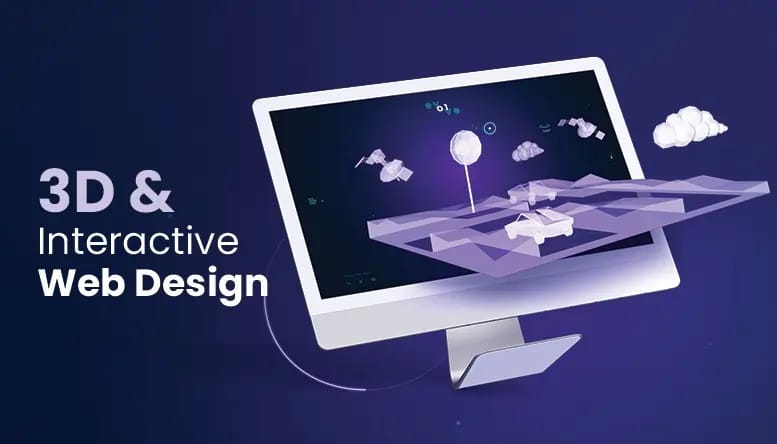
The web has spent decades moving through different content formats.
Text made information searchable and easy to distribute. Images made pages more visual. Video added movement, sound, personality, and explanation. Each format changed what businesses, publishers, educators, and creators could communicate online.
Interactive 3D may be the next important addition.
It is unlikely to replace text, images, or video. Most websites do not need to become virtual worlds, and many ideas are still better explained with a short paragraph or a clear photograph.
But when users need to understand shape, structure, scale, or spatial relationships, interactive 3D offers something the older formats cannot fully provide: control over the viewpoint.
A shopper can rotate a product. A student can inspect a mechanical component. A museum visitor can examine an object that would normally remain behind glass. A customer can explore how different parts fit together instead of watching someone else demonstrate them in a fixed video.
AI is making the first stage of 3D creation more accessible. Whether 3D becomes a common web format, however, will depend on something more practical than generation speed.
It will depend on whether the model helps users do something better.
What Comes After Images and Video?
Images remain one of the most efficient formats on the web.
They load quickly, work across almost every device, and communicate a clear visual idea without requiring the user to learn any controls.
Their limitation is that the publisher chooses the viewpoint.
A product photograph can show the front, side, or detail of an object, but users cannot freely inspect areas the photographer did not include.
Video adds movement and sequence.
It can demonstrate how a product works, show a change over time, and guide attention through editing and narration. But the viewer still follows the path chosen by the video creator.
Interactive 3D gives some of that control back to the user.
A visitor may rotate, zoom, move around, or focus on a specific component. The experience becomes exploratory rather than completely predetermined.
That difference matters in situations where the user’s question is not simply “What does this look like?”
It may be:
- What does the back look like?
- How large is one part compared with another?
- Where is this component located?
- Can I inspect the object from above?
- How does the item appear from the angle that matters to me?
- What is hidden inside the outer structure?
Interactive 3D is valuable when those questions affect understanding or decision-making.
3D Will Not Replace Other Formats
It is easy to imagine a future in which every product page, article, and marketing campaign contains a 3D object.
That would not necessarily improve the web.
A model usually requires more data, processing power, testing, and interaction design than a static image. It can slow down a page, behave differently across devices, and create problems for users who rely on assistive technologies or limited connections.
In many cases, the simpler format remains the better one.
A photograph is often the fastest way to show colour or appearance. A diagram may explain a system more clearly than a realistic model. A video may be better when the viewer needs to follow a process in a fixed order.
The future is therefore not a competition in which 3D defeats images and video.
It is a division of roles.
Text explains. Images show. Video demonstrates. Interactive 3D allows inspection.
The strongest websites will choose the format that matches the task.
Where Interactive 3D Has the Clearest Advantage
Some areas of the web are especially well suited to spatial content.
Ecommerce
Online shopping has always involved uncertainty.
Customers cannot pick up a product, walk around it, or inspect its details in the same way they can in a physical store.
Interactive models can be useful for products where form and construction influence the buying decision, including:
- Furniture
- Footwear
- Consumer electronics
- Collectibles
- Tools and equipment
- Home appliances
- Complex accessories
- Decorative objects
A model does not solve every ecommerce problem. It cannot reproduce weight, comfort, or physical material perfectly.
It can, however, help users understand the object beyond the limited angles selected for the product photographs.
Education
Many subjects depend on spatial relationships.
Students may need to understand how organs relate to one another, how mechanical parts connect, how terrain changes across an area, or how a historical structure was organised.
A three-dimensional object can make these relationships easier to explore.
The model still needs labels, explanation, and learning objectives. Without guidance, students may simply rotate it without understanding what matters.
The technology works best when it supports a specific question in the lesson.
Product documentation
Instruction pages and technical manuals often rely on diagrams with arrows, labels, and exploded views.
Interactive 3D can allow users to inspect a product from the angle that matches the real object in front of them. A model may show where a filter is located, which panel needs to be removed, or how two parts connect.
For maintenance and assembly content, that freedom of viewpoint can be more useful than a single fixed illustration.
Accuracy is essential, however. A documentation model cannot invent parts or simplify a safety-related component without review.
Cultural and creative content
Museums, archives, artists, and heritage organisations can use 3D to make objects more accessible.
A visitor could inspect a sculpture from multiple sides, view the reconstruction of a damaged artefact, or explore architectural details that are difficult to see in person.
Interactive 3D can extend access, but it should not blur the difference between verified evidence and creative reconstruction.
Any uncertain or restored details need to be identified clearly.
Games and entertainment
Entertainment websites can use 3D for characters, props, digital collectibles, interactive campaigns, and previews of virtual environments.
Here, technical accuracy may matter less than visual consistency and performance.
The model still has to load quickly and respond well on the user’s device. A visually impressive object that causes the page to freeze will not create a strong experience.
Why AI Could Accelerate the Change
Creating 3D assets for the web has traditionally required specialised skills.
A team may need to model geometry, create UVs, prepare textures, assign materials, optimize the mesh, choose an export format, and test the result in a browser.
That work remains important, but AI can reduce the effort required to obtain the first version.
Businesses and creators often already possess useful source material:
- Product photographs
- Illustrations
- Concept art
- Design sketches
- Marketing images
- Written descriptions
- Historical references
- Educational diagrams
An image to 3D workflow can use an existing visual as the starting point for an early model. A text to 3D tool can help create an initial asset when the team has an idea but no finished reference image.
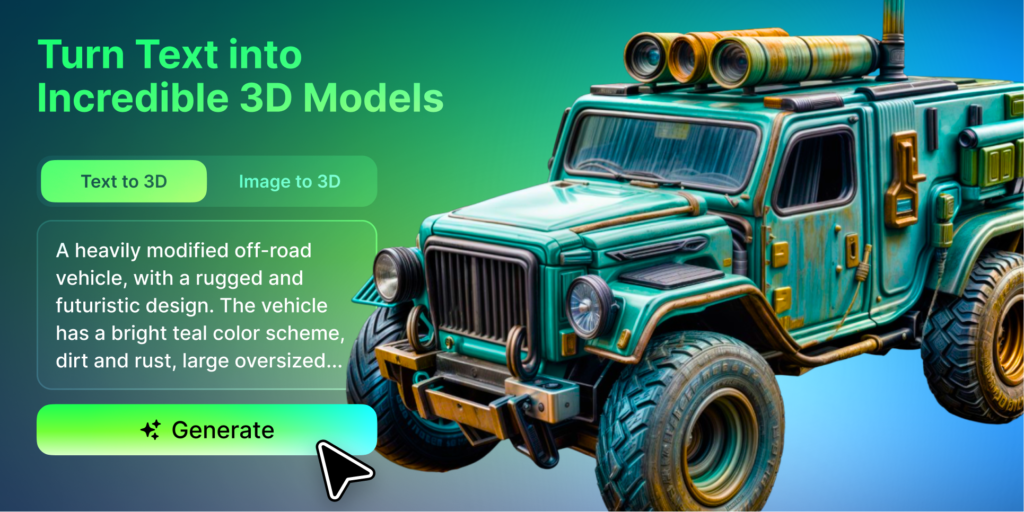
Platforms such as Meshy can make experimentation more accessible to teams that do not have a large internal 3D department.
This matters because many organisations will not invest in a full production pipeline before they know whether 3D improves the page.
AI allows them to test the idea earlier.
The generated model still requires review. The system may estimate hidden surfaces, misunderstand proportions, distort written details, or create geometry that is too heavy for the web.
AI lowers the cost of creating the starting point.
It does not automatically make the model ready for users.
The Web Delivery Problem Is Harder Than the Generation Problem
A model can look good in a creation interface and still fail on a live website.
Before publication, teams need to consider:
- File size
- Polygon count
- Texture resolution
- Number of materials
- Loading behaviour
- Browser support
- Mobile performance
- Touch controls
- Accessibility
- Static fallback content
- Version updates
- Accuracy review
The page should not force every visitor to download a large model immediately.
A product page might show images first and load the 3D experience only when the user selects it. A museum page may provide a preview image, description, and optional model. An educational lesson should still explain the concept when the interactive content is unavailable.
This is where many future 3D projects will succeed or fail.
The ability to generate more models does not guarantee that people will enjoy using them.
Web 3D must become lighter, clearer, and more purposeful.
Four Conditions for Useful Web 3D
For interactive 3D to become a normal content format, it needs to meet four conditions.
Useful
The model should answer a question that other formats cannot answer as effectively.
Adding 3D only to make a page feel modern usually creates unnecessary complexity.
Lightweight
The experience needs to load on ordinary devices and realistic network connections.
Geometry, textures, materials, and animation should match the actual viewing situation. A model shown inside a small product window does not need the same detail as an asset created for a full-screen cinematic scene.
Accessible
Essential information cannot exist only inside the model.
Pages still need text, images, descriptions, keyboard-friendly controls, and alternatives for users who cannot or do not want to load interactive content.
Trustworthy
The model must represent the subject honestly.
Commercial products should match approved references. Scientific and educational assets need expert review. Historical reconstructions should identify uncertain details. Engineering and safety content must not rely on visual plausibility alone.
A beautiful model can still be misleading.
The Model Is Not Finished When It Is Generated
Web teams will need to treat 3D assets as maintained content rather than one-time decorations.
Products change. Packaging is updated. Materials are revised. Educational understanding develops. Historical interpretations are corrected. Browser technologies and device requirements also change.
Each model may need:
- A clear owner
- A version number
- Source references
- An approval process
- Performance limits
- Mobile testing
- A replacement plan
- A record of changes
This is similar to managing images, product data, and software releases, but the consequences of an incorrect model may be harder for users to notice.
A product can appear realistic while containing an inaccurate rear panel. A training object can look convincing while placing a component in the wrong location.
The more organisations use AI to create 3D at scale, the more important this governance will become.
3D as a Choice Rather Than a Requirement
The most realistic future for the web is not one in which every page becomes interactive.
It is one in which 3D becomes a normal option.
A content team deciding how to present an object may choose between:
- A photograph for speed and clarity
- A diagram for explanation
- A video for movement
- An interactive model for inspection
- A combination of several formats
That is how mature content systems develop.
A format becomes useful when teams stop adding it because it is new and start choosing it because it fits the job.
Interactive 3D is moving closer to that point.
AI is reducing the cost of producing the first asset. Browsers and mobile devices are becoming better at displaying spatial content. More organisations are also discovering situations where a user-controlled view is more useful than another fixed image.
The next step is not simply creating more 3D.
It is learning when not to use it.
The 3D Readiness Test
Before adding an interactive model to a website, a team should be able to answer five questions.
1. Does the user genuinely need to inspect the object?
If one or two images already provide everything the user needs, a model may add little value.
2. Does 3D explain the information better than video or illustration?
Choose the format based on the task, not on which technology appears more advanced.
3. Can an ordinary phone load and control the model comfortably?
Test the experience on realistic devices, screen sizes, browsers, and network connections.
4. Is the page still useful when the model does not load?
Important information should remain available through text, images, diagrams, or video.
5. Who verifies and maintains the asset?
Someone must be responsible for checking accuracy, approving updates, tracking versions, and replacing outdated models.
If a business cannot answer most of these questions clearly, it is not ready to add 3D simply for the appearance of innovation.