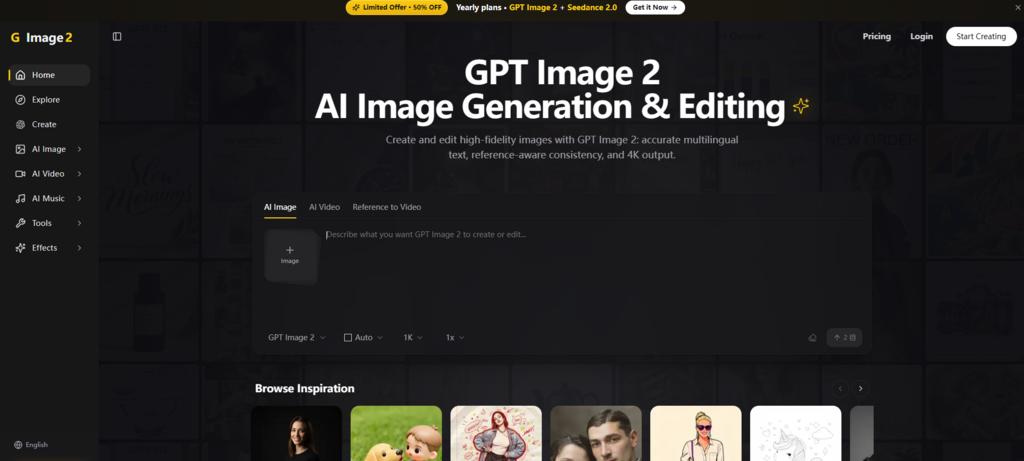
The creative technology landscape has become a crowded patchwork of single-purpose tools. One platform generates images, another edits them, a third adds motion, and a fourth upscales the final result. The cost of this fragmentation is measured not in dollars but in momentum. Every export, every import, every new tab opened breaks the flow of creation. That’s why a different approach is worth examining—one that consolidates these capabilities into a single, coherent workspace. Image 2 offers exactly that: a browser-based environment where generation, editing, video creation, and refinement coexist without forcing the user to leave the interface. After spending time working through its features, the real question is whether this integration delivers practical efficiency or simply trades one set of constraints for another.
The Core Value: Integration Over Isolation
At its heart, the platform is built around the idea that creative work shouldn’t require constant context switching. It brings together GPT Image 2-powered generation, natural-language editing, reference-aware consistency, background removal, 4K upscaling, and even short-form video creation—all within the same dashboard. This isn’t about being the absolute best at any one task, but about being good enough at many tasks while removing the friction that typically accompanies multi-tool workflows.
From a practical standpoint, this means a user can start with a simple text prompt, generate a base image, refine it with plain English instructions, upscale the result, and then turn it into a short video clip—all without ever saving a file or opening another application. The time saved on file management alone is significant, and the reduced cognitive load allows creators to stay in a state of flow rather than constantly reorienting themselves to different interfaces and logic systems.
Putting the Workflow to the Test
To evaluate how this actually performs in real-world scenarios, I ran a series of tests across different creative tasks. The objective wasn’t to compare against specialized competitors but to assess the end-to-end experience within a single platform.
Text-to-Image Generation
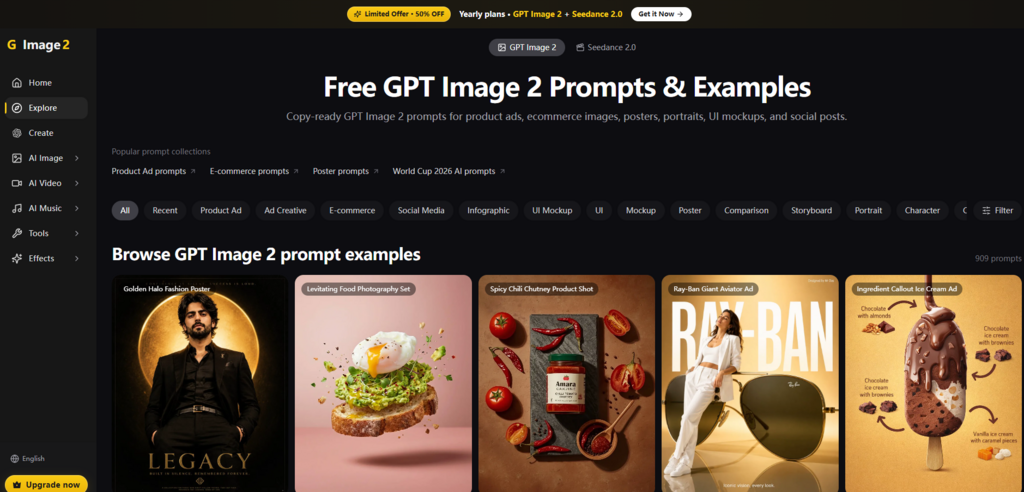
The most common entry point is the text-to-image generator. The platform supports multiple aspect ratios including 1:1, 16:9, 9:16, 4:3, and 3:4, which covers everything from social media squares to cinematic widescreen. Style presets are available to steer the output toward specific aesthetics—studio portrait, cinematic frame, product hero, stylized illustration, and modern interior.
Prompt Fidelity and Style Control
Test Task: Generating a product hero image for a premium audio brand’s new wireless earbuds.
Difficulty: Achieving a clean, editorial look with accurate product details and a dramatic lighting setup, all from a single prompt.
Actual Performance: The initial output was notably close to the brief. The lighting and color palette matched the requested “cool blue with high contrast” description. The product details—shape, material, and branding placement—were coherent and correctly positioned. The composition felt intentional, with the earbuds placed at a dynamic angle that suggested motion. What stood out was the system’s ability to handle detailed descriptions of texture and reflection without producing the usual artifacts.
Pros and Cons: The style presets provided a useful shortcut, but they also felt somewhat limiting for users who prefer granular control. For those who know exactly what they want, adjusting parameters like lighting, framing, texture, and motion blur offers more precision. However, the result may vary depending on prompt structure, and achieving a very specific, complex scene might require multiple iterations to dial in the desired look.
Suitable For: Marketing teams needing on-brand visuals quickly, designers creating mood boards, and content producers who need variety without deep technical prompt engineering.
Reference-Based Consistency
One of the more compelling features is reference-aware generation—the ability to maintain character or object identity across multiple images. This is critical for branding, storytelling, and any project that requires visual continuity.
Maintaining Identity Across Scenes
Test Task: Generating a series of three images featuring the same character in different poses and environments—sitting at a desk, standing outdoors, and interacting with a product.
Difficulty: Keeping facial features, clothing details, and overall style consistent while varying the setting and action.
Actual Performance: Using a single reference image as the starting point, subsequent generations retained the core identity remarkably well. The character’s hairstyle, outfit colors, and key facial features remained stable across all three scenes. Minor variations in lighting and shadow adapted naturally to the new environments, which actually enhanced realism rather than breaking consistency. The multi‑image composition support also allowed me to blend elements from different references into a single output, which opened up interesting possibilities for concept development.
Pros and Cons: This feature significantly reduces the manual effort of generating dozens of candidates to find a consistent set. However, it is not flawless. Complex scenes with multiple subjects or intricate accessories might show slight drift in fine details between generations. The consistency is impressive but not absolute—textures or small jewelry pieces can vary subtly.
Suitable For: Character designers, comic artists, brands creating campaign series, and anyone who needs visual continuity across multiple assets. For a deeper look at how these features are structured, you can explore GPT Image 2 directly.
Image-to-Video and Refinements
The inclusion of AI video creation within the same workspace pushes the platform beyond typical image generators. Users can take a static image and turn it into a short cinematic clip, or use reference video input with prompt-based guidance for more controlled motion.
Motion and Polish
Test Task: Converting a static product image into a short promotional video clip with subtle camera panning and depth effects.
Difficulty: Achieving smooth, natural motion that doesn’t feel robotic or disjointed.
Actual Performance: The resulting clip was clean and usable. The gentle panning and parallax effects gave the product a polished, premium feel that would work well for social media ads or website hero sections. While it wasn’t on par with high-end animation studios, it provided a level of finish that would otherwise require dedicated video editing software. The artifact‑avoidance controls—designed to reduce unwanted elements like extra limbs, glows, or over‑saturation—helped keep the output professional.
Pros and Cons: The video output is a valuable addition for creators who need motion assets without learning complex animation tools. That said, the results may vary, and more complex motion requests—such as specific character actions—might not execute perfectly every time. The tool is best suited for short, atmospheric clips rather than narrative‑driven video content.
Suitable For: Social media managers, e‑commerce teams, and content creators who need quick video assets alongside their static images.
Getting Started with the Platform
The onboarding process is refreshingly straightforward, reflecting the platform’s emphasis on reducing friction. There is no software to download, no lengthy registration required to begin testing, and the interface is designed to guide users through each step without unnecessary complexity.
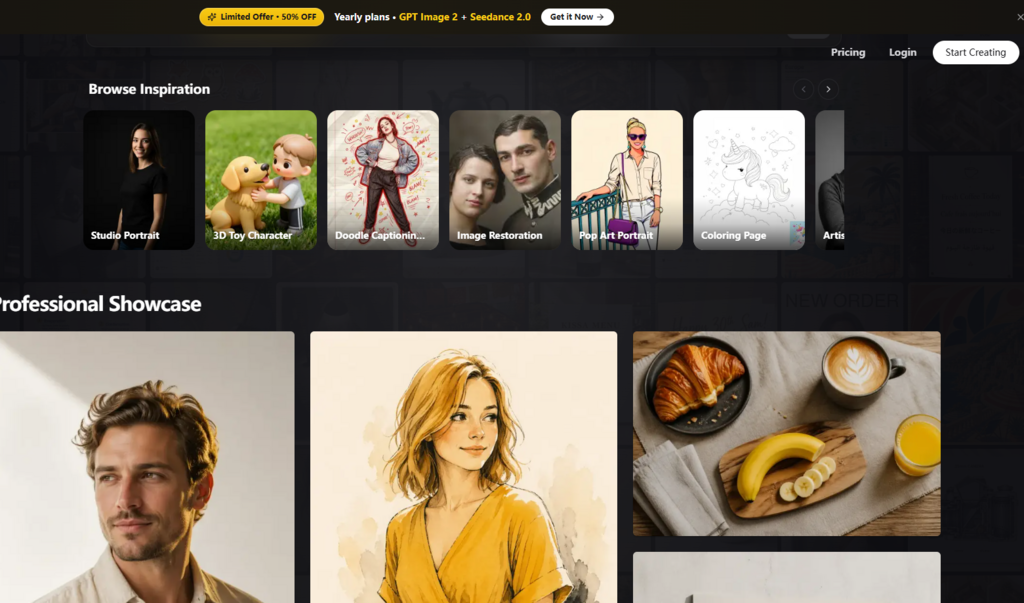
Step 1: Access the Interface
No Download Required
The entire workspace runs in a standard web browser. Simply navigating to the site brings up the main dashboard immediately. New users are granted free credits upon sign‑up, allowing them to test the core generation and editing features without any upfront financial commitment. This low‑barrier entry point is ideal for those who want to evaluate the tool’s suitability before considering any paid plan.
Step 2: Choose Your Input
Text, Upload, or Reference
The workflow begins with a clear choice: start from a text prompt, upload an existing image, or provide multiple reference images. The upload process supports standard formats and allows drag‑and‑drop or clipboard pasting. For those who prefer a more guided approach, style presets and templates are available to accelerate the initial generation.
Step 3: Generate and Refine
Iterative Editing in One Place
Once the first generation is complete, refinement happens in the same interface. Natural‑language editing allows users to describe changes—”make the background warmer” or “increase the sharpness”—and the platform executes those instructions. The result can be upscaled to 4K, converted to video, or exported in the desired format. Batch generation supports rapid asset creation, which is particularly useful for A/B testing or producing multiple variants for different platforms.
A Comparative Snapshot
To better understand where this integrated model fits, here is a concise comparison against the more traditional approach of using separate, specialized tools for each task.
| Aspect | Image 2 (Integrated Workspace) | Single‑Purpose Tools |
| Entry Barrier | Low – browser‑based, free credits to start | Variable – some require downloads or paid subscriptions |
| Workflow Clarity | High – generation, editing, and export in one flow | Fragmented – switching between different applications for each step |
| Creative Control | Moderate to high – style presets plus adjustable parameters | High in specialized areas, but limited to that domain |
| Ideal Scenarios | End‑to‑end asset creation for marketing, social, e‑commerce | Niche tasks demanding maximum quality in a single area |
| Experience Stability | Generally consistent, though complex prompts may vary | Stable within their defined scope |
| Learning Curve | Gentle – unified interface reduces cognitive load | Steeper – each tool has its own logic, shortcuts, and updates |
This comparison is not intended to declare one model superior. Rather, it underscores that for creators who prioritise workflow efficiency and dislike juggling multiple tabs, the integrated approach offers a tangible advantage in terms of time and mental energy.
Acknowledging the Limitations
Every tool has its boundaries, and a balanced assessment requires recognising where this platform may not meet every expectation.
Prompt Quality Matters: As with any AI generation system, the output quality depends heavily on how the prompt is structured. Vague or poorly worded descriptions will yield mediocre results. Users need to invest time in learning how to articulate their vision effectively.
Complex Scenes May Require Iteration: While the platform handles many scenarios well, highly intricate compositions with multiple interacting subjects or very specific stylistic demands might not succeed on the first attempt. Refinement is often necessary.
Consistency Is Not Guaranteed: Although the reference‑aware features are robust, they do not ensure perfect consistency in every case. Minor variations in textures, small accessories, or background details can occur between generations.
Video Capabilities Are Complementary: The video generation is a useful add‑on but should not be mistaken for a full‑fledged video production suite. It excels at short, atmospheric clips but has limitations with complex narratives or extended durations.
No Public API: For users who need bulk, programmatic access, the platform currently operates primarily through its web interface. This is a consideration for enterprises or developers looking to integrate the tool into larger automated workflows.
Who Finds This Approach Most Useful?
The integrated workspace model is not a one‑size‑fits‑all solution, and that is perfectly acceptable. It is not positioned as the ultimate tool for every creative scenario, but rather as a practical fit for specific workflows and user profiles.
Marketing and E‑commerce Teams will appreciate the ability to generate, edit, and output product shots, ad creatives, and promotional videos from a single interface. The batch generation and support for multiple aspect ratios streamline the production of assets for different channels.
Designers and Content Creators who work across formats—social media, blogs, presentations, and print—benefit from the variety of styles and the ability to quickly iterate on concepts without context‑switching.
Founders and Small Business Owners without dedicated creative teams gain access to a tool that can produce professional‑looking visuals and short videos with a relatively gentle learning curve. The free credits to start lower the barrier to experimentation.
Photographers looking to expand into AI‑assisted work or generate supplementary assets for their portfolios may find the reference‑based editing and upscaling features particularly useful.
In the end, the value proposition of Image 2 hinges on whether the convenience of an all‑in‑one workspace outweighs the potential benefits of using best‑in‑class specialised tools for each task. For many creators, the answer will be yes—not because it is the absolute best at any single function, but because it is good enough at many functions, and the time saved on workflow friction is a resource that can be reinvested into actual creative work.
The platform points to a clear direction for creative software: integration over isolation. It may not eliminate the need for specialised applications entirely, but for a significant portion of everyday creative tasks, it offers a compelling, streamlined alternative. The results, from my testing, are solid; the workflow is coherent; and the potential for saving time and reducing mental overhead is substantial. It is a workspace worth exploring for anyone who finds themselves spending more time managing tools than creating with them.