Fast social video production sounds simple until one idea has to become six clips by Thursday afternoon.
One needs a faster opening. Another needs a cleaner product shot. A third needs room for captions. Then someone asks for a version with different audio.
At that point, generation speed is only part of the problem. What really matters is how much work sits between the first brief and something the team can actually publish.
That makes Seedance 2.5 and Kling VIDEO 3.0 Omni worth comparing. Both offer reference-driven video workflows, but they can save time in different places.
Start With One Idea, Not Five Prompts
Trying to make one perfect video is often the wrong place to start.
A social team might need:
- one clean product reveal
- one faster version with a stronger opening
- one lifestyle variation
- one version built around sound
- one alternate ending for a different call to action
The product should stay recognizable while the setting, pace, opening or shot order changes.
Instead of writing five unrelated prompts, start with one core idea and decide what needs to stay fixed.
For example:
A cold drink is placed on a kitchen counter after a summer run. Start wide, move closer as a hand picks it up, show one product detail, then return to a clean final product shot.
Now both models have the same job.
Seedance 2.5: Bring More of the Brief Into the Generation
Seedance becomes interesting when the team already has more than one useful reference.
A campaign folder might contain a clean product shot, two detail images, a lighting reference, a short camera-motion example and an audio idea.
Those materials are already doing part of the creative work. The team should not have to describe every detail again in a giant prompt.
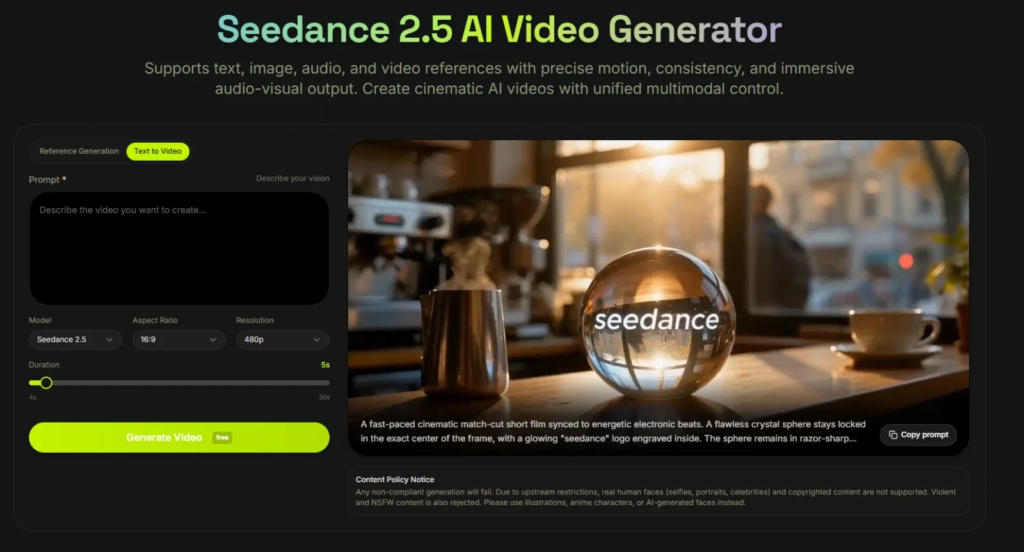
For that kind of reference-heavy brief, Seedance 2.5 AI on XMK lets the team work with supported image, video and audio inputs instead of pushing every detail into the prompt. Clip options extend up to 30 seconds when the sequence actually needs the extra room.
That last part matters.
A product reveal, interaction, detail view and closing composition may benefit from a longer sequence. A six-second hook probably does not.
If the team generates 30 seconds only to discard most of it, the longer output has created more footage to review rather than saved time.
Longer is useful when the idea needs longer. It is not a shortcut by itself.
Kling 3.0 Omni: Build Around Recurring Elements
Kling takes a different approach when the same subject needs to return across several short videos.
VIDEO 3.0 Omni supports reference workflows using images, Elements and Video Elements, alongside native audio, multi-shot generation and Element Voice Control in supported workflows.
Imagine a creator making three short posts around the same fictional mascot.
The first introduces the product. The second moves the mascot somewhere new. The third gives it a short spoken line.
Instead of trying to describe the same character from scratch every time, the creator can build the workflow around a reusable Element and, where appropriate, associate a voice with it.
That saves time in a different place: setting up the recurring subject instead of repeatedly rebuilding it.
Kling’s clip length of up to 15 seconds is already enough for many Reels, Shorts and TikTok-style scenes.
30 Seconds vs 15 Seconds Is Not the Real Decision
Suppose the final post is eight seconds long.
A longer generation may give the editor more footage to choose from. It may also give the editor another 20 seconds of footage to check.
A well-planned shorter generation could already contain everything needed.
So the useful question is not:
Which model gives me more seconds?
It is:
How much of this idea needs to happen inside one generation?
A concept with several visual beats and a larger reference set may give Seedance an advantage worth testing.
A shorter idea built around recurring elements, voice or a planned sequence of shots may point toward Kling.
In day-to-day production, retries often matter more than maximum duration.
A Thursday-Afternoon Five-Clip Test
Imagine a small drinks brand launching a new sparkling drink on Friday.
By Thursday afternoon, the team needs five short concepts for Reels, TikTok and Shorts. It has three product images, one background reference, a motion example and an audio idea.
No one wants to spend Thursday night fixing five unrelated generations.
So start with one.
1. Get the Core Product Shot Right
Use the same basic brief for the first attempt.
Does the product look usable? Does the action make sense? Does the opening work?
If the bottle is wrong in version one, generating four more variations immediately does not help.
2. See Whether the References Save Any Work
The team already has product and creative material.
The question is whether those assets reduce the amount of explanation and correction needed later.
A larger multimodal reference setup makes Seedance particularly interesting here.
3. Try a Short Multi-Shot Version
Keep the sequence simple:
wide product shot → interaction → close detail → final frame
Kling’s multi-shot workflow is worth testing when the clip needs deliberate shot changes rather than one continuous action.
4. Bring the Same Subject Back
If the campaign uses a fictional mascot or another recurring subject, move it into a second setting.
Then watch where the time goes.
Is the team planning the new scene, or spending another generation trying to recreate the subject?
This is where Kling’s Element workflow becomes more relevant.
5. See What Happens When Only One Thing Is Wrong
Maybe the movement and timing work, but a product detail does not.
That is a useful case for testing Seedance’s local re-draw controls.
After each attempt, keep a simple note:
Usable. Small fix. Regenerate.
After five clips, those three labels tell you more about production speed than comparing two feature pages.
When One Detail Is Wrong
This is where AI video production becomes much less glamorous.
A clip can be almost ready. The camera movement works. The lighting looks right. The timing is fine.
Then someone notices a product detail is wrong.
Seedance’s local re-draw controls are aimed at adjusting a specific visual element, such as a product, background, or subject. That may help when the problem is genuinely limited to one element rather than the structure of the whole clip.
It is not a universal repair button.
After a local change, the team should review the complete clip again because surrounding motion, lighting, composition, or product details may also shift.
If the problem is bad timing, an awkward camera move or an entire section that falls apart, another generation or a normal edit may still be quicker.
Kling addresses another side of the problem through its Element and reference workflow. When the same subject appears repeatedly, careful setup at the beginning can reduce some of the rebuilding later.
Good references often save more time than another round of prompt rewriting.
Make Variations Without Starting Over
Once the first version works, change one or two things at a time.
Version two might open closer to the product.
Version three could start with the hand already entering the frame.
Version four might try a different audio direction.
Version five could hold the final product shot slightly longer for a caption.
Now the team can see what actually changed.
If every version changes the camera, setting, pace, product position and sound at the same time, comparing the results becomes much harder.
That matters when content is produced every week. Fast production is not only about generation time. It is also about avoiding unnecessary decisions and unnecessary retries.
The Choice Depends on What Slows You Down
Consider two jobs.
A small ecommerce team has several product references, a motion example and an audio direction. It wants to explore a product reveal, interaction and closing composition before turning the strongest ideas into shorter social clips.
I would test Seedance first for that job. Its reference-heavy workflow and longer clip options fit the brief, while local re-draw may help if the problem is limited to a specific visual element, such as the product, background, or subject.
Now change the brief.
A creator is making three 12-second episodes around the same fictional mascot. The location changes, but the character and voice need to stay familiar. Each clip also needs a planned sequence of shots.
Kling becomes the more interesting option. Element references, voice association and multi-shot controls address problems that matter directly to this kind of series.
Neither workflow is automatically faster.
The better one is the one that removes the bottleneck the team actually has.
Fast Still Needs a Final Check
Before publishing, someone still needs to check the product details, text, branding, audio, cropping and final message.
Generated footage should not be treated as proof of real-world product performance either. If a generated shoe looks unusually flexible, a jacket appears waterproof or a device survives an impact, that does not establish that the real product can do the same.
Reference material needs similar care. Teams should use assets they are authorized to process and check current platform rules before uploading identifiable people, copyrighted works, confidential campaign information or other restricted material.
A few minutes of review is usually cheaper than fixing a bad post after it goes live.
Count Retries, Not Features
For a six-second social hook, a 30-second maximum does not beat a 15-second maximum if the first two seconds are weak.
The same goes for reference limits, local editing, Elements and multi-shot controls. They save time only when they solve the problem the team actually has.
If one workflow produces three usable clips in five attempts while another produces one, the faster option for that job is fairly clear — even if the second model looks stronger on a feature page.
A reference-heavy product campaign may make Seedance the first model worth testing. A short recurring series built around the same fictional character, voice and planned shots may point toward Kling.
There does not need to be one overall winner.
Social teams do not need the model with the longest feature list. They need the workflow that gets from a brief to something publishable with fewer retries.