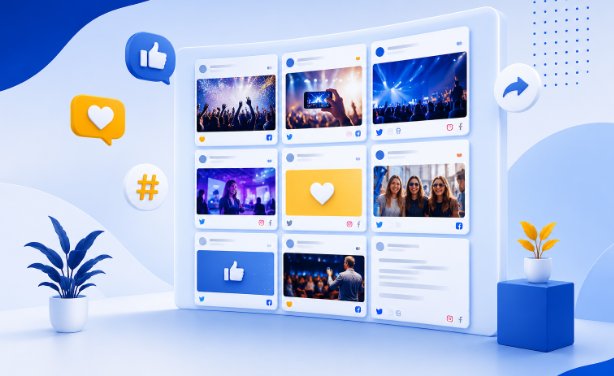
Events are no longer just about watching presentations, visiting booths, or listening to speakers. Attendees expect opportunities to participate, share their experiences, and become part of the event itself. An interactive social media wall can turn that expectation into a live experience by bringing social content, audience participation, and event activities together on a shared screen.
A social media wall collects posts, photos, videos, and conversations from different social platforms and displays them in real time. When interactive elements are added, attendees can do more than simply watch the content. They can react to posts, participate in polls, upload their own photos, take part in challenges, and see their contributions appear during the event.
For event organizers, this creates a continuous stream of fresh content while encouraging attendees to participate throughout the experience. The same approach can work across conferences, trade shows, product launches, festivals, sporting events, exhibitions, and corporate gatherings.
Here are some practical interactive social media wall ideas that can help make your next event more engaging.
15 Interactive Social Media Wall Ideas to Engage Your Audience
1. Turn Attendee Posts Into a Live Event Feed
One of the simplest ways to make an event more interactive is to display attendee-generated content as it happens.
A social media wall can bring together posts from platforms such as Instagram, Facebook, TikTok, LinkedIn, YouTube, and X using hashtags, mentions, handles, tagged content, and other available sources. Instead of asking attendees to check multiple platforms, organizers can bring relevant conversations into one visual experience.
As attendees post photos, videos, comments, or event-related updates, selected content can appear on large event screens, TVs, digital signage, or other displays.
This creates a sense of recognition because attendees can see their content become part of the event.
2. Let Attendees Upload Content With a QR Code
Not everyone wants to publish event photos publicly on social media. A QR-based upload experience gives attendees another way to participate.
Place a QR code around the venue, on event signage, registration desks, booths, or presentation screens. Attendees can scan it and submit photos or videos directly from their phones.
The submitted content can then be reviewed and added to the social media wall, creating a continuous flow of attendee-generated content without requiring participants to post publicly first.
This is especially useful for conferences, weddings, exhibitions, brand activations, and corporate events where organizers want to collect more original content from attendees.
3. Give the Audience a Way to React
A wall becomes much more interactive when people can respond to what they see.
Add simple reactions that allow attendees to express their appreciation for photos, videos, announcements, or featured posts. Reactions can encourage people to pay closer attention to the screen and create a two-way interaction rather than a passive display.
Organizers can also observe which posts receive the strongest response and use those insights to understand what resonates with the audience.
4. Run Live Polls and Audience Questions
A social media wall can also become a participation tool during presentations and sessions.
Use live polls to ask attendees about their preferences, opinions, or reactions to a topic. Results can be displayed on the event screen as the audience responds.
For example:
- Which session has been the most useful so far?
- Which product feature would you like to see next?
- Which speaker should answer the next question?
- What topic should be covered in the next session?
This gives attendees a reason to interact with the screen and provides organizers with immediate feedback.
5. Add Challenges and Gamification
Gamification can give attendees another reason to participate.
Create hashtag challenges, photo contests, voting activities, or participation-based competitions around your event. You can encourage attendees to complete simple challenges and showcase their contributions on the social media wall.
Leaderboards can also be used to recognize highly active participants. This can turn ordinary social sharing into a friendly competition while keeping the audience involved between sessions.
Interactive social wall experiences can incorporate polls, challenges, leaderboards, and other gamified elements to increase participation.
6. Highlight the Best Audience Content
A busy event can generate hundreds or thousands of posts. Showing everything at once can make the experience difficult to follow.
A better approach is to curate the most relevant content and give standout posts more visibility. Organizers can manually select important posts, spotlight attendee contributions, pin specific content, or prioritize posts that align with the event theme.
Content can also be filtered using keywords and moderation rules so that the displayed feed remains relevant and appropriate.
This helps maintain a polished social media wall while still preserving the authenticity of attendee-generated content.
7. Create a Branded Visual Experience
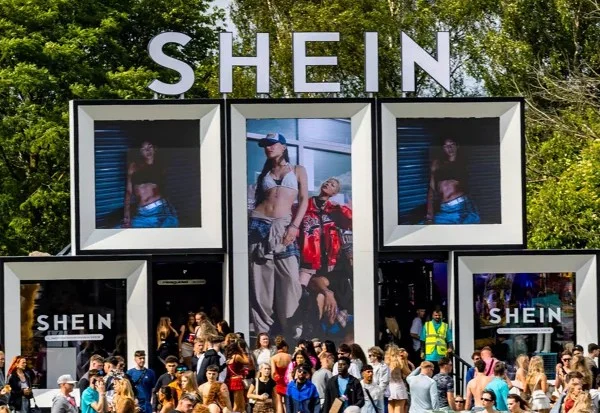
Caption: SHEIN Created a Branded Visual Experience With Social Walls by Taggbox
An interactive social media wall should look like part of the event rather than a generic feed.
Choose layouts, themes, backgrounds, cards, logos, banners, and other visual elements that match the event’s branding. Different display styles can also be selected depending on whether the wall is being used at a conference, product launch, festival, exhibition, or corporate gathering.
For larger campaigns, custom styling can help maintain visual consistency across event screens and other digital touchpoints.
8. Keep the Content Fresh With Real-Time Updates
A social wall becomes significantly more engaging when attendees can see new content appearing throughout the event.
Real-time updates allow newly collected posts to reach the display without requiring organizers to refresh the screen manually. This creates a constantly changing visual environment that reflects what is happening at the event right now.
For example, a conference wall might show a speaker’s latest post, attendee reactions, behind-the-scenes photos, and session highlights within the same experience.
The result is a social media wall that feels alive rather than like a static collection of posts.
9. Mix Social Content With Other Media
An event screen does not have to show social posts continuously.
Combine social content with event announcements, branded graphics, videos, promotional messages, sponsor content, photos, and other media. This creates a more varied display and gives organizers greater control over what appears on the screen.
For example, a venue screen could rotate between:
Social posts → Sponsor message → Event announcement → Attendee photos → Video → Social posts
This approach helps keep the display useful for both attendees and event sponsors.
10. Give Sponsors More Visibility
An interactive social media wall can become an additional sponsorship opportunity.
Create branded sections, sponsor slides, campaign hashtags, or dedicated moments where sponsor-related content receives greater visibility. When attendees interact with sponsored campaigns or branded challenges, sponsors can become part of the event experience rather than simply appearing on banners.
The wall can therefore provide an additional digital channel for sponsor exposure while keeping the audience engaged.
11. Make the Experience Work Across Different Screens
Your audience may encounter the social media wall on a large LED display, TV, projector, digital signage screen, or other venue display.
A responsive presentation helps the content remain readable and visually appealing across different screen sizes. This is particularly important for events that use multiple displays throughout a venue.
A social wall can support displays ranging from TVs and event screens to digital signage and larger venue environments, allowing the same content experience to work across different formats.
12. Use Content Moderation to Protect the Event Experience
Audience participation is valuable, but not every submitted post should automatically appear on a public screen.
Content can be reviewed using a combination of automated filtering and human oversight. Organizers can remove irrelevant, duplicated, inappropriate, or unwanted posts before they appear publicly.
Filtering can also be based on keywords and visual content, while manual controls allow organizers to decide exactly which posts should be featured.
This balance allows events to encourage authentic participation without losing control of the content displayed to the audience.
13. Turn Audience Data Into Event Insights
Interaction doesn’t have to end when the event does.
Analytics can help organizers understand how audiences interacted with the social media wall. Useful information can include impressions, clicks, reactions, engagement trends, popular posts, trending hashtags, and top contributors.
These insights can help answer questions such as:
- Which content attracted the most attention?
- Which moments generated the strongest response?
- Which hashtags performed best?
- Who were the most active contributors?
- What type of content should be encouraged at the next event?
Using these insights can help organizers improve future campaigns and create more relevant audience experiences.
14. Protect Audience Content and Privacy
When collecting user-generated content, privacy, security, and GDPR compliance should be considered from the beginning.
A responsible social wall experience should provide appropriate controls for handling collected content and protecting user data. Secure data handling, privacy-focused infrastructure, GDPR-compliant practices, and transparent policies can help organizers create a more trustworthy participation experience.
This is especially important for corporate events, conferences, educational institutions, and large public gatherings where large volumes of audience content may be collected.
15. Make the Social Wall Part of the Entire Event Journey
An interactive social media wall does not have to be limited to the main stage.
Use it throughout the attendee journey:
Before the event: Promote the event hashtag and encourage people to share what they are looking forward to.
During registration: Display attendee posts and event announcements.
During sessions: Show reactions, polls, questions, and relevant social posts.
Around exhibition booths: Highlight brand content, attendee photos, and sponsor activities.
During breaks: Run challenges, contests, and interactive content.
After the event: Continue displaying highlights, testimonials, photos, and memorable moments.
This turns the social media wall from a single event screen into an ongoing engagement channel.
What Makes an Interactive Social Media Wall Effective?
The technology itself is only one part of the experience. The best results come from combining fresh content, audience participation, thoughtful curation, strong visual design, and measurable engagement.
A successful setup should make it easy for attendees to contribute while giving organizers enough control to keep the display relevant. It should also support multiple content sources, real-time publishing, audience reactions, QR-based uploads, interactive activities, content filtering, visual customization, analytics, and secure content handling.
Most importantly, the experience should give attendees a reason to participate. A wall that simply displays posts can be interesting, but a wall that invites people to react, vote, upload, compete, and get featured becomes part of the event itself.
Final Thoughts
An interactive social media wall can transform a traditional event display into a living stream of audience participation. From real-time social posts and QR-based photo uploads to reactions, polls, contests, leaderboards, curated content, and event analytics, there are many ways to make the experience more engaging.
The good news is that you don’t need to combine different platforms to create this experience. Social Walls by Taggbox brings these capabilities together in one solution, helping event organizers collect social content, encourage audience participation, manage user-generated content, customize displays, and measure engagement. From interactive features and SnapUp QR-based uploads to content moderation, analytics, and GDPR-focused data protection, the tools are designed to support engaging event experiences from start to finish.