Introduction
Data loss can happen when you least expect it. Whether you accidentally delete important files, format a drive, experience a system crash, or encounter malware, losing valuable data can be frustrating. Fortunately, modern free data recovery software can help recover deleted documents, photos, videos, emails, and other files from various storage devices.
In this guide, we review the top 5 free data recovery software of all time based on recovery performance, ease of use, compatibility, and overall user experience. Stellar Data Recovery tops our list due to its powerful recovery engine and comprehensive feature set.
#1 Stellar Data Recovery Free
Overview
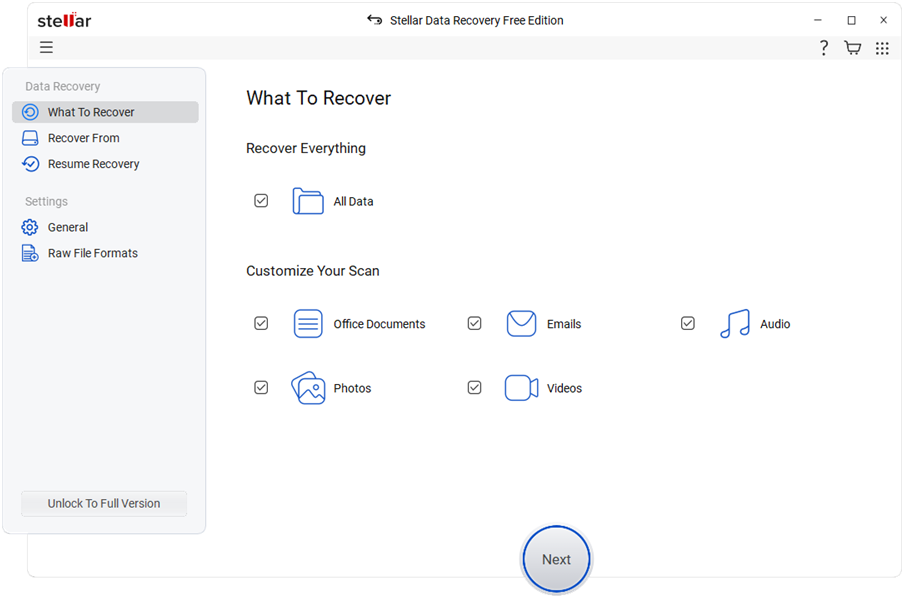
Stellar Data Recovery Free is one of the most trusted and feature-rich free data recovery software available today. It helps users recover deleted files, lost partitions, formatted drives, and inaccessible storage devices with ease.
Key Features
• Recover deleted photos, videos, documents, emails, and folders
• Supports HDDs, SSDs, USB drives, SD cards, and external storage
• Deep Scan and Quick Scan options
• Supports NTFS, FAT, exFAT, and other file systems
• Preview files before recovery
• User-friendly interface for beginners and professionals
Pros
• Excellent recovery success rate
• Supports multiple storage devices
• Fast scanning process
• Easy-to-use interface
• Reliable and secure recovery
Cons
• Some advanced features are available in premium versions
Why Stellar Ranks #1
Among all free data recovery software solutions, Stellar Data Recovery offers the best balance of performance, reliability, and usability. Its advanced scanning technology and broad compatibility make it suitable for both home and business users.
#2 Recuva
Overview
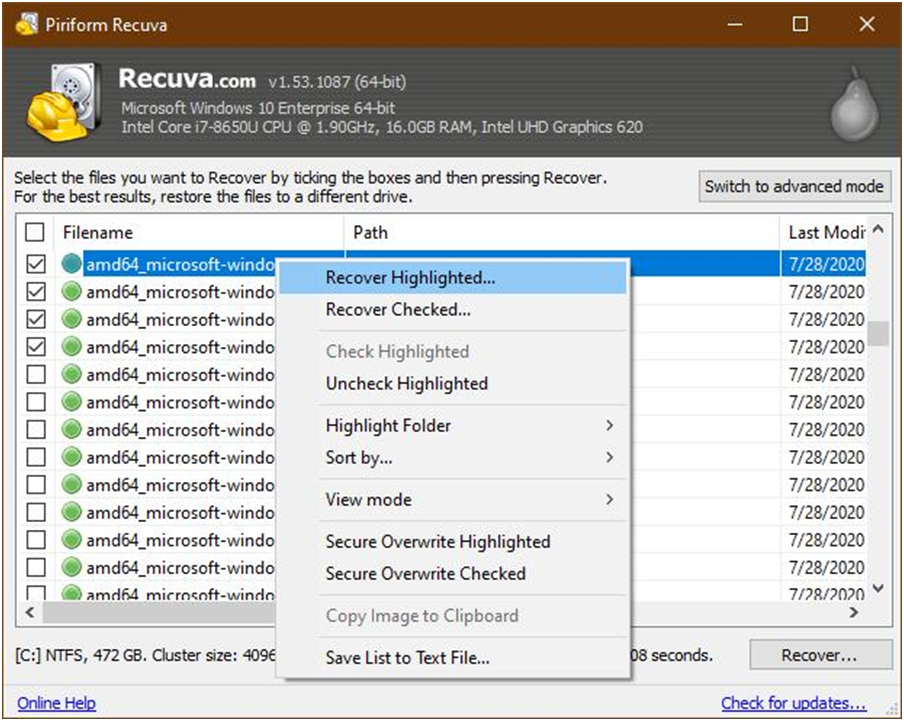
Recuva is a lightweight and widely used recovery utility developed specifically for Windows users.
Key Features
• Recover deleted files from hard drives and memory cards
• Deep Scan mode
• Secure file deletion option
• Portable version available
Pros
• Free and easy to use
• Lightweight installation
• Good for basic file recovery
Cons
• Limited advanced recovery capabilities
• Less effective on severely damaged drives
#3 EaseUS Data Recovery Wizard Free
Overview
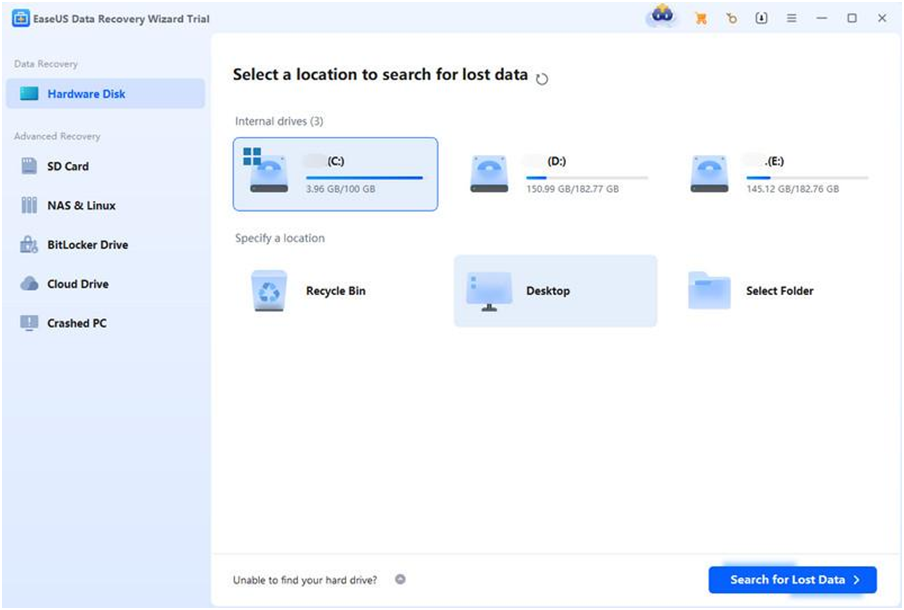
EaseUS Data Recovery Wizard Free is a popular recovery solution known for its simple interface and broad file format support.
Key Features
• Recover deleted, formatted, and lost files
• Supports multiple file formats
• Preview files before recovery
• Simple recovery process
Pros
• User-friendly design
• Good recovery performance
• Supports various recovery scenarios
Cons
• Recovery limits in free version
• Premium features require upgrade
#4 Disk Drill
Overview
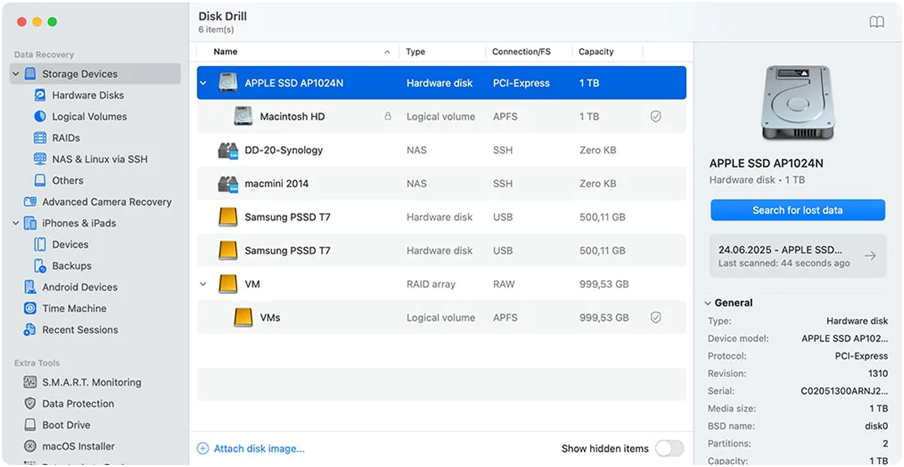
Disk Drill provides both data recovery and disk management capabilities for Windows users.
Key Features
• Quick and Deep Scan modes
• Supports hundreds of file formats
• Recovery Vault protection
• File preview support
Pros
• Modern interface
• Additional disk protection tools
• Effective recovery engine
Cons
• Limited recovery in free version
• Some advanced features are paid
#5 PhotoRec
Overview
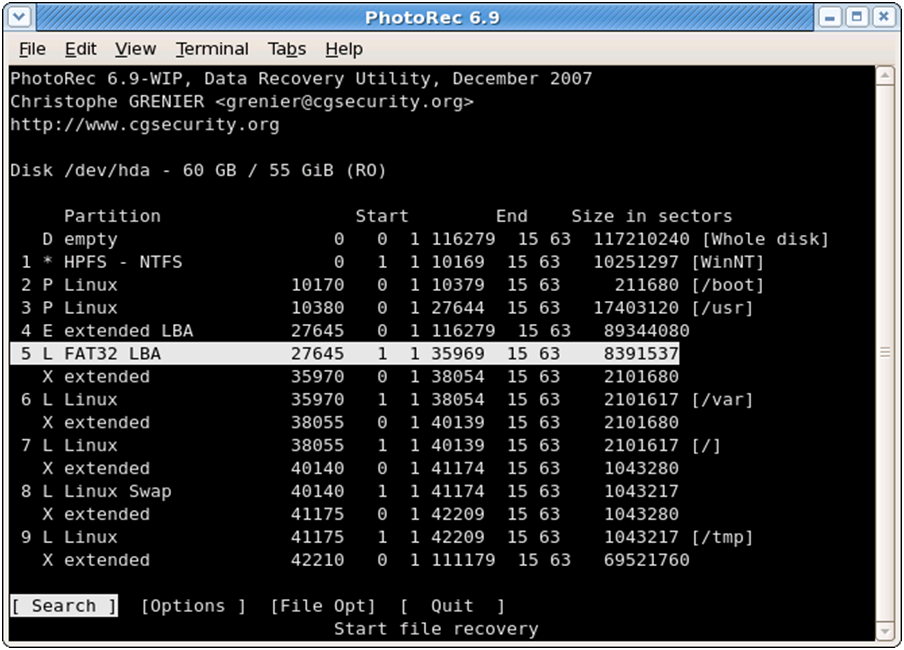
PhotoRec is an open-source recovery tool designed to recover lost files from a wide range of storage devices.
Key Features
• Open-source software
• Supports numerous file formats
• Works with multiple operating systems
• Powerful file carving technology
Pros
• Completely free
• Strong recovery capabilities
• Cross-platform support
Cons
• Command-line style interface
• Not beginner-friendly
How to Choose the Best Free Data Recovery Software
Before selecting a free data recovery software solution, consider:
• Recovery success rate
• Supported file systems
• File format compatibility
• Ease of use
• Scanning speed
• Preview functionality
• Device compatibility
Final Verdict
Choosing the right free data recovery software can significantly improve your chances of recovering lost files successfully. While all five tools offer reliable recovery capabilities, Stellar Data Recovery Free stands out as the best overall choice due to its powerful recovery engine, user-friendly design, broad compatibility, and high recovery success rate.
If you need a comprehensive and dependable solution to recover your lost files in Windows, Stellar Data Recovery should be your first choice.
Frequently Asked Questions (FAQs)
Q1. What is the best free data recovery software?
Stellar Data Recovery Free is considered one of the best free data recovery software solutions due to its advanced recovery capabilities and ease of use.
Q2. Can free data recovery software recover permanently deleted files?
Yes. If the deleted data has not been overwritten, most recovery tools can help restore permanently deleted files.
Q3. Is data recovery software safe to use?
Yes. Reputable recovery tools perform read-only operations and do not modify original data during the recovery process.
Q4. Can I recover files from a formatted drive?
Many modern recovery tools, including Stellar Data Recovery, support recovery from formatted storage devices.
Q5. Which devices can be scanned using data recovery software?
Most tools support hard drives, SSDs, USB flash drives, memory cards, and external storage devices.
Q6. What types of files can be recovered?
Data recovery software can recover documents, photos, videos, emails, archives, audio files, and many other file formats.