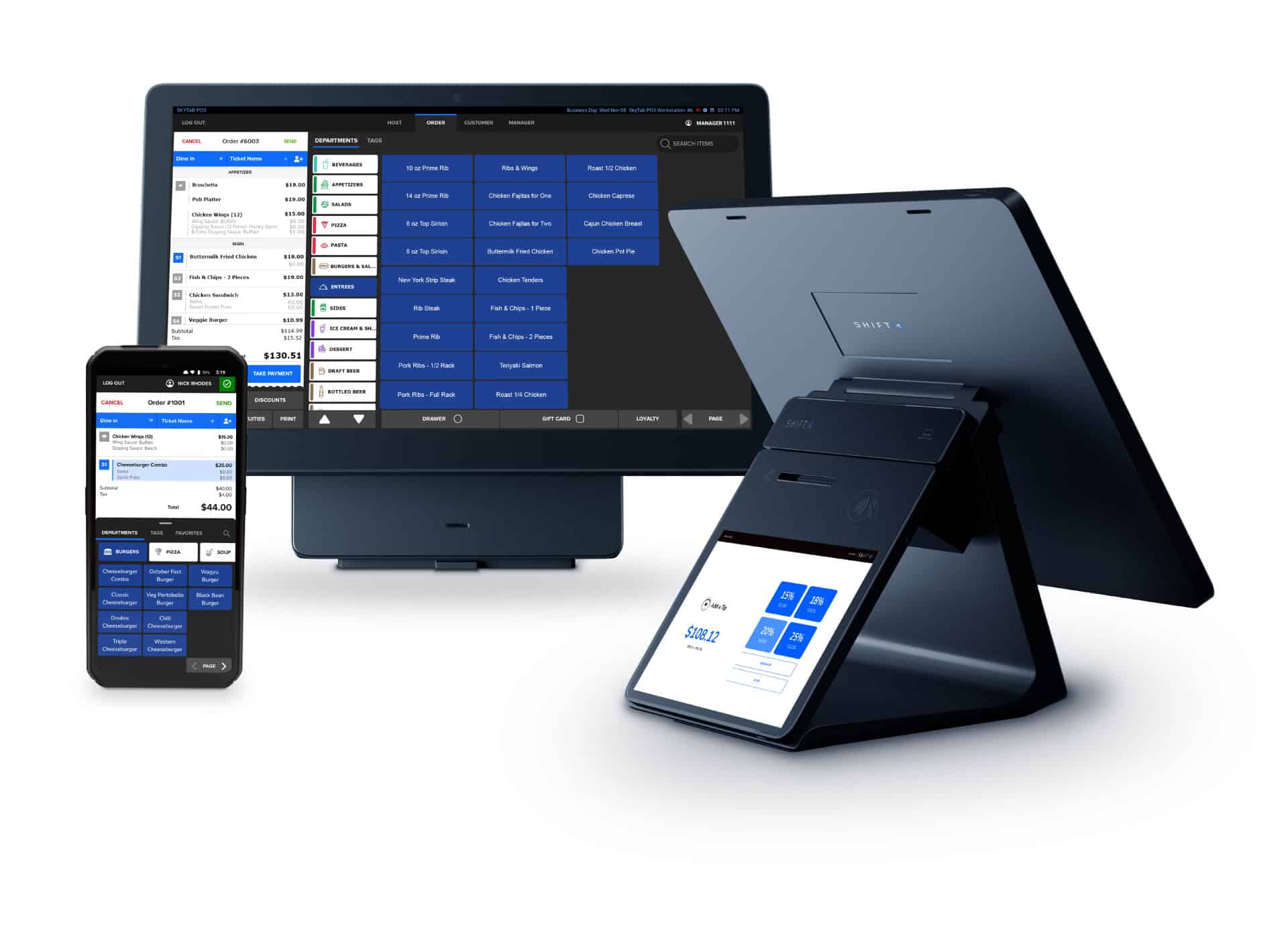
Two devices. One decision that directly affects your table turns, staff efficiency, and end-of-night reconciliation. SkyTab Air is Shift4’s dedicated handheld POS terminal — lightweight at 0.45 lbs, built specifically for tableside ordering and pay-at-table in full-service environments. Which one actually fits your floor layout, your service model, and the way your staff moves through a shift?
I’ve seen operators grab whichever device looked newer without mapping it to their actual workflow. That’s where the friction starts — wrong tool on a busy patio, dead zones at the bar, servers making extra trips to a stationary terminal. Let’s break this down by scenario, not by spec sheet.
What Each Device Actually Does (In Plain Ops Terms)
SkyTab Air is a purpose-built handheld POS terminal. It runs on Wi-Fi (indoor range up to 150 ft) or cellular, weighs almost nothing, and carries a 12-hour battery life — meaning it survives a double shift without hitting a charging dock mid-service. It supports EMV chip, NFC contactless, Apple Pay, and Google Pay out of the box, PCI-compliant through Shift4’s payment stack. Compatible with Shift4, Clover, Oracle MICROS, and Revel Systems.
SkyTab Mobile is a different animal. It’s designed for operators who need a more flexible, smartphone-style interface — think food trucks, pop-up events, catering runs, and line-busting scenarios where you’re not anchored to a fixed floor plan. Both devices live inside the same Shift4 ecosystem, which means payment data, reporting, and reconciliation flow into the same backend regardless of which hardware you deploy.
The catch is: these aren’t interchangeable. Choosing wrong means you either over-engineer a beer-and-wings bar with hardware that belongs in a fine-dining room, or you hand your tableside servers a device that doesn’t anchor to your table management workflow the way it should.
Scenario-by-Scenario Breakdown: Where Each Device Wins
Here’s how the two devices play out across the most common restaurant environments in 2026:
- Full-service dining room: SkyTab Air. Servers take orders at the table, fire directly to the kitchen, close checks tableside. No trips to a terminal. The 150 ft Wi-Fi range covers most standard dining rooms without signal drop.
- Patio and outdoor seating: SkyTab Air on cellular if your Wi-Fi doesn’t extend outside reliably. Check your signal map before deploying — “Connection timeout” in the device log almost always traces back to weak Wi-Fi at the edge of your coverage area.
- Bar service: Either device works, but SkyTab Mobile’s form factor tends to be faster for high-volume bartenders who need to pull up tabs and process quick payments without navigating a full table-management screen.
- Line-busting (lunch rush, QSR-style): SkyTab Mobile. Fast item entry, quick payment flow, no table assignment overhead slowing down the queue.
- Events and off-site catering: SkyTab Mobile on cellular. You’re not tethered to your venue’s Wi-Fi infrastructure, which matters when you’re working a tent in a parking lot or a private event space with no reliable network.
- Food trucks: SkyTab Mobile. Compact, cellular-capable, handles the transactional volume without the tableside management features you don’t need.
During a Friday dinner rush, a server with SkyTab Air can take a four-top order, modify an item, and send it to the kitchen — all without leaving the table. That’s where the device earns its keep. During a Saturday lunch line-bust at a fast-casual concept, SkyTab Mobile processes the same transaction faster because it skips the table-management layer entirely.
Where Things Break: Real Deployment Issues
I’ll be direct — both devices have failure modes that show up in the logs if you’re not set up correctly.
Check these before going live:
- If you see “Connection timeout” in the device log → your Wi-Fi signal is weak at that station. Run a signal test at every deployment point before training staff.
- If “Transaction failed” appears in the POS report → EMV chip wasn’t read cleanly. Check card reader for debris; re-seat the card and retry before assuming a network issue.
- If you’re seeing “Sync delay” in reconciliation → network latency is the likely culprit, not the device itself. Check your router bandwidth during peak hours.
- Void-after-close scenario: If a server voids a check after the batch closes, the transaction can orphan in the POS backend. Verify your reconciliation workflow handles this — don’t find out at 2am.
- Duplicate auth: Contactless payments occasionally trigger double authorization if the card is tapped twice. Train staff to wait for confirmation before retapping.
These aren’t edge cases. They happen on real floors, on busy nights, when your manager is already dealing with three other things.
The Operational Decision Framework
If your floor is table-centric — assigned seating, check management by table number, servers responsible for specific sections — SkyTab Air is the right call. The tableside ordering workflow is built for this. Your kitchen gets accurate, timestamped tickets. Your servers close checks without touching a stationary terminal. Table turn data feeds directly into your reporting.
If your operation is transaction-centric — volume over table management, mobile or off-site service, bar-forward concepts — lean toward SkyTab Mobile. The interface is faster for single-item transactions, and the cellular capability means you’re not dependent on venue infrastructure.
Here’s where it gets practical: many operators run both. Dining room gets SkyTab Air. Bar and patio events get SkyTab Mobile. Same Shift4 backend, same reporting dashboard, different hardware optimized for different workflows. That’s not overcomplicating it — that’s matching the tool to the job.
Integration and Reconciliation: What to Verify Before You Deploy
Both devices integrate with Shift4, Clover, Oracle MICROS, and Revel Systems. Before you roll out either device across your floor, run through this checklist:
- Confirm Wi-Fi coverage at every table, bar station, and patio area. Use your router’s admin panel to identify dead zones before training day.
- Pair each device to your POS platform and run a test transaction — EMV chip, NFC tap, and mobile wallet — before first service.
- Verify that your reconciliation workflow accounts for offline fallback transactions. If a device loses connectivity mid-transaction, confirm where that data lands in your backend.
- Check your end-of-day batch close time against your last seating. Late checks that close after batch can create reconciliation gaps.
- Train staff on the difference between a connection error and a declined transaction — both look similar on screen but require different responses.
Reconciliation is where most operators find out their deployment had gaps. Don’t skip the test phase.
Bottom Line
The device that fits your workflow isn’t the one with the longest spec sheet. It’s the one your staff can operate under pressure at 7pm on a Saturday without calling for help. SkyTab Air wins in table-service environments where the full tableside workflow — ordering, modifying, paying — needs to happen without a server leaving the section. SkyTab Mobile wins where speed, mobility, and independence from fixed infrastructure matter more than table management depth.
Map your service model first. Then pick the hardware. If you’re running a mixed operation, run both — Shift4’s backend handles it cleanly, and your reporting won’t care which device processed the payment. What it will track is whether your table turns improved and whether your staff stopped making unnecessary trips to a stationary terminal. That’s the number that matters.